Sweo is the highest-performing AI agent for customer service, delivering higher-quality answers and resolving more complex queries than any other AI agent.
The Sweo AI Engine™ allows Sweo to refine every query, optimize every response and validate the quality of each answer.
You can Analyze, Train, Test, and Deploy Sweo with complete control and flexibility. By automating your frontline support with Sweo, you’ll free up thousands of hours that your existing team can now use to focus on the most complex issues, or transition into value-oriented roles like customer success.
Capabilities
Analyze
Get a complete view across AI and human support to monitor performance, spot issues faster, and optimize Sweo with AI-powered suggestions.
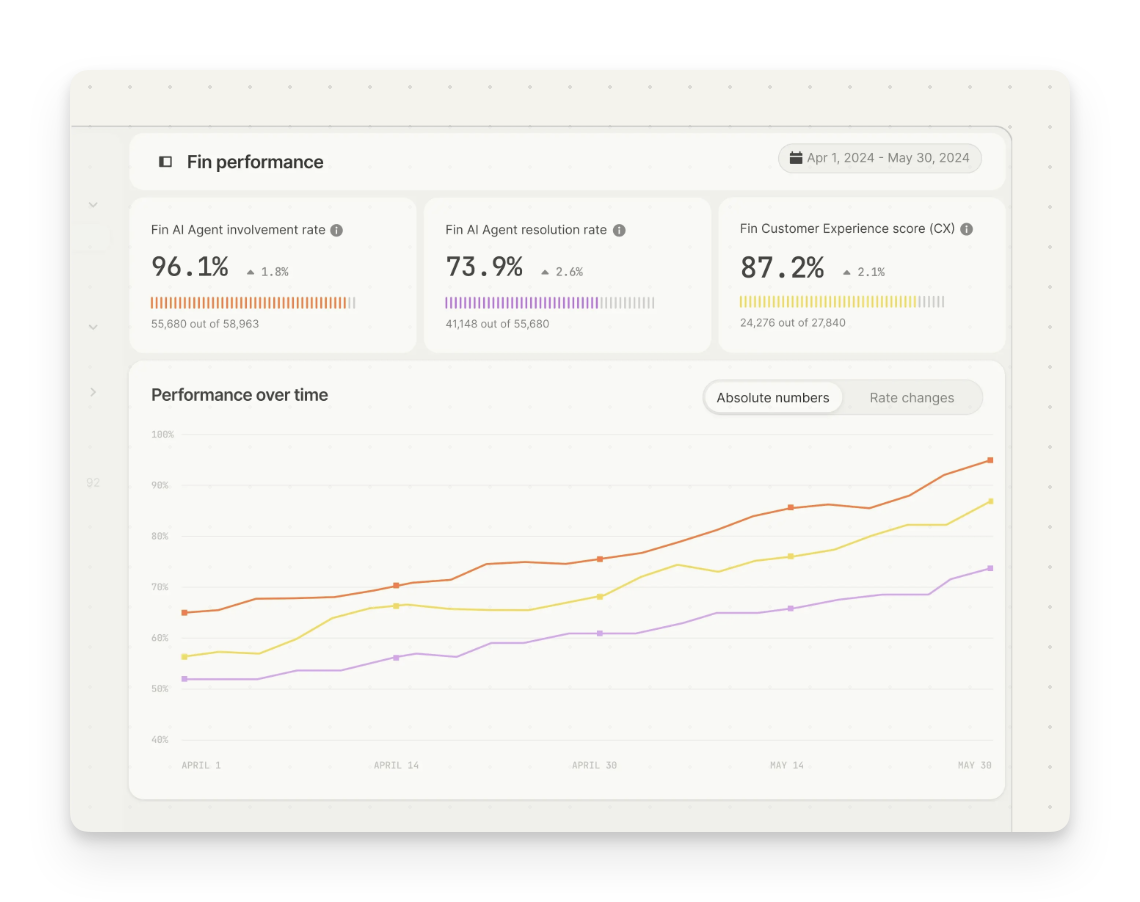
Customer Experience (CX) Score
With 5x more coverage than CSAT, the Customer Experience (CX) Score measures the quality of every conversation—so you can understand how all your customers feel when interacting with Sweo and teammates.
Sweo Performance report
The Performance dashboard brings together Sweo’s resolution rate, involvement rate, and CX score in one view. It shows where Sweo is succeeding and where human support might need to step in.
Optimize Sweo dashboard
The Optimize dashboard flags Sweo’s areas for improvement and uses AI to generate actionable suggestions. You can review and approve fixes in seconds, so Sweo keeps getting better without slowing your team down.
Topics Explorer
Topics Explorer uses AI to automatically group conversations into topics and subtopics. It helps you spot trends, track high-effort issues, and understand what’s driving volume—without manual tagging or hours of analysis.
Conversation monitoring
Review Sweo conversations in real time right in the inbox.
Custom reporting
Build your own Sweo performance and quality report using new and improved custom reporting tools, including new chart styles, drag and drop chart building and chart drill-in to dive deeper into the root cause of performance.
Train
Customize Sweo's tone of voice, teach it your support knowledge and policies, and configure how it handles complex tasks in over 45 languages.
Multi-source generative answers
Sweo builds answers using only the most relevant information from multiple knowledge sources—creating more complete and accurate answers to even the most complex questions.
Knowledge sources
Sweo’s Content page makes it easy for your team to control, update and maintain all of the content Sweo learns from in a centralized location - keeping answers accurate and complete as your business changes and grows. Sweo can learn from a variety of public and private knowledge sources, including Help Center articles, internal support content, PDFs, and webpages.
Content targeting
Sweo can target content to customers based on their plan, location, brand, and more. You can specify what content is relevant for specific groups of customers, to ensure Sweo only ever gives relevant answers.
Tone of voice
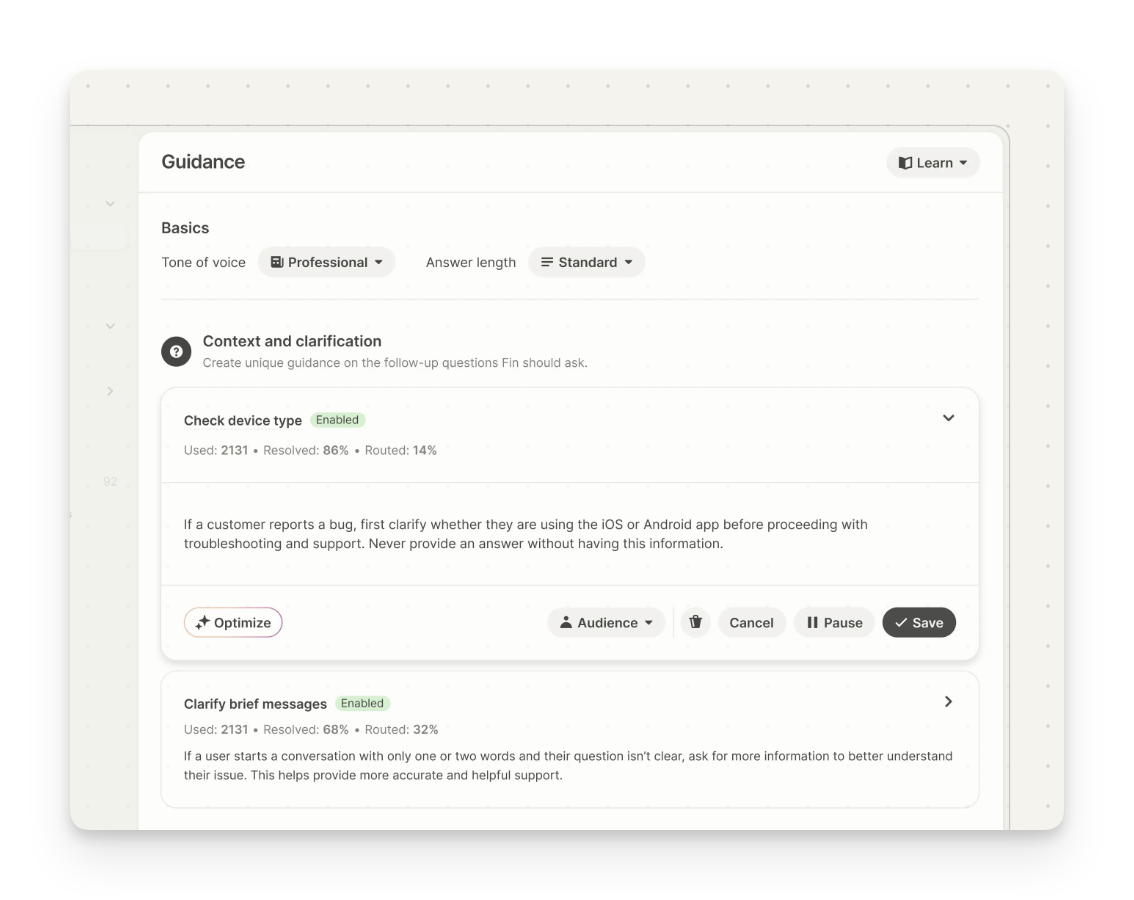
Customize Sweo's personality by choosing a tone of voice like professional, friendly, humorous, and more. Then select how long Sweo’s answers are, from shorter and concise, to longer and more thorough.
Guidance
Sweo Guidance enables you to coach Sweo on how it should answer questions. You can provide Sweo with custom instructions to ensure it always follows the correct support policies and communication style with your customers.
Suggestions
Suggestions is an AI-powered feature that recommends specific actions to help teammates improve Sweo performance. It identifies gaps in knowledge, unclear responses, and proposes updates to ensure Sweo delivers better answers—faster.
Data connectors
Set up Data connectors to your external systems, enabling Sweo to provide more personalized answers and perform complex tasks on behalf of your customers.
Tasks
Sweo Tasks allow you to automate more complex processes with Sweo. Often times, these processes may involve multiple actions and for Sweo to reliably follow your specific business rules (e.g. cancel an order, refund a subscription). Sweo will trigger the task and be actively involved each step to resolve customer queries. Sweo Tasks is currently under managed availability providing tailored, hands-on support. Please discuss access with your Account Manager.
Real-time translation
Sweo can automatically detect and resolve issues in more than 45 languages, giving you complete control over which languages Sweo will answer in. Sweo can use all of your support content in its multilingual answers, even if the content hasn’t been localized to the language Sweo is answering in.
Vision
Sweo Vision means solving issues faster by letting your customers show, not tell. Sweo can read and understand images—like screenshots, invoices, and error messages—so customers can share what they see without lengthy explanations.
Test
Use real customer questions to test Sweo’s answer quality and refine its sources and settings, so it always reflects your latest support content and policies.
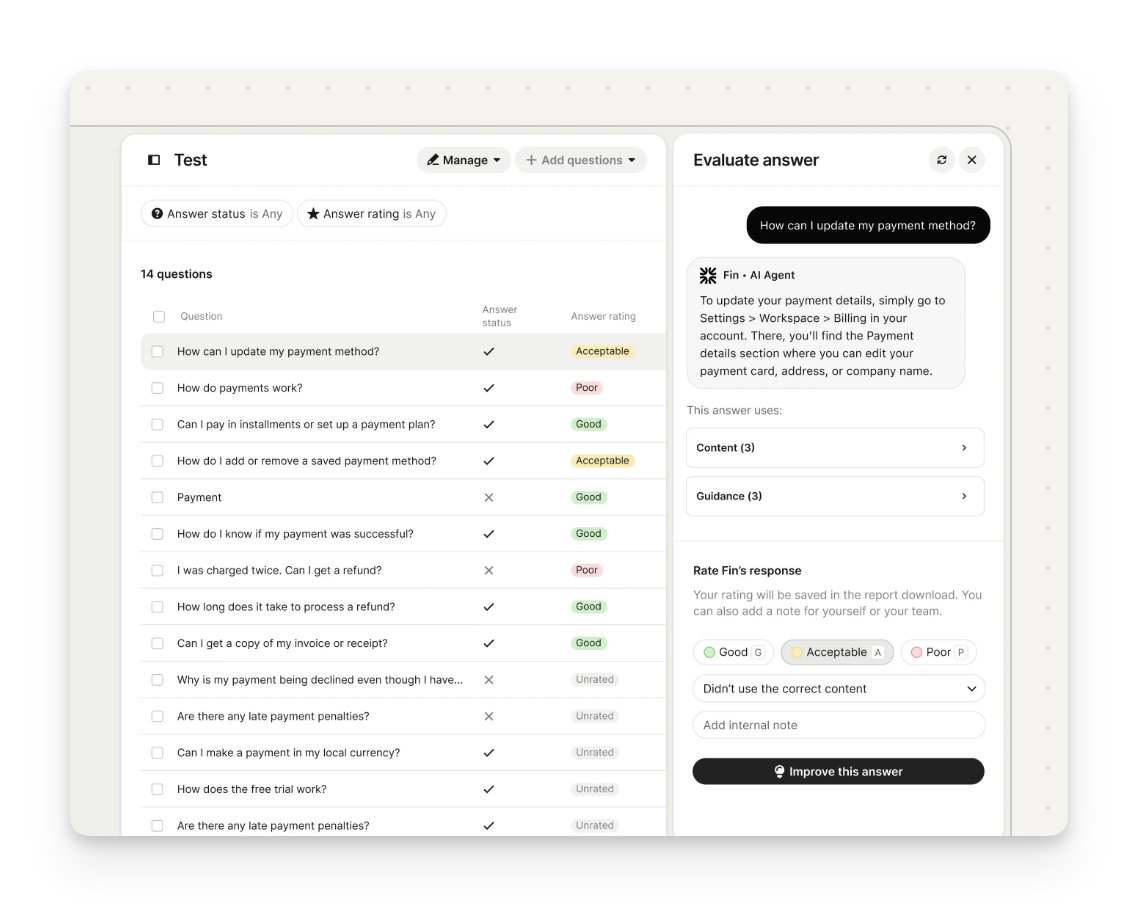
Batch testing
Batch test how ready your content is for Sweo. Easily import conversations from your support inbox, other sources, or add them manually to evaluate Sweo’s accuracy and performance.
Answer rating
Review and rate each of Sweo's answers. Ratings and comments are captured in a report so you can prioritize what needs work and improve your content.
Sweo preview
Test and refine Sweo in real time. Instantly see how updates to guidance, deployment settings, or intro messages will appear to customers, helping you perfect the experience before going live.
Answer inspection
Get full visibility into how Sweo generated an answer. See exactly which sources and settings—like tone of voice and Guidance—shaped the response.
Audience testing
Test how Sweo answers for various customer types by simulating different audiences or personas.
Deploy
Deploy Sweo across email, voice, live chat, social, and more. Sweo can answer, triage, and collaborate with your team to deliver consistent experiences across channels.
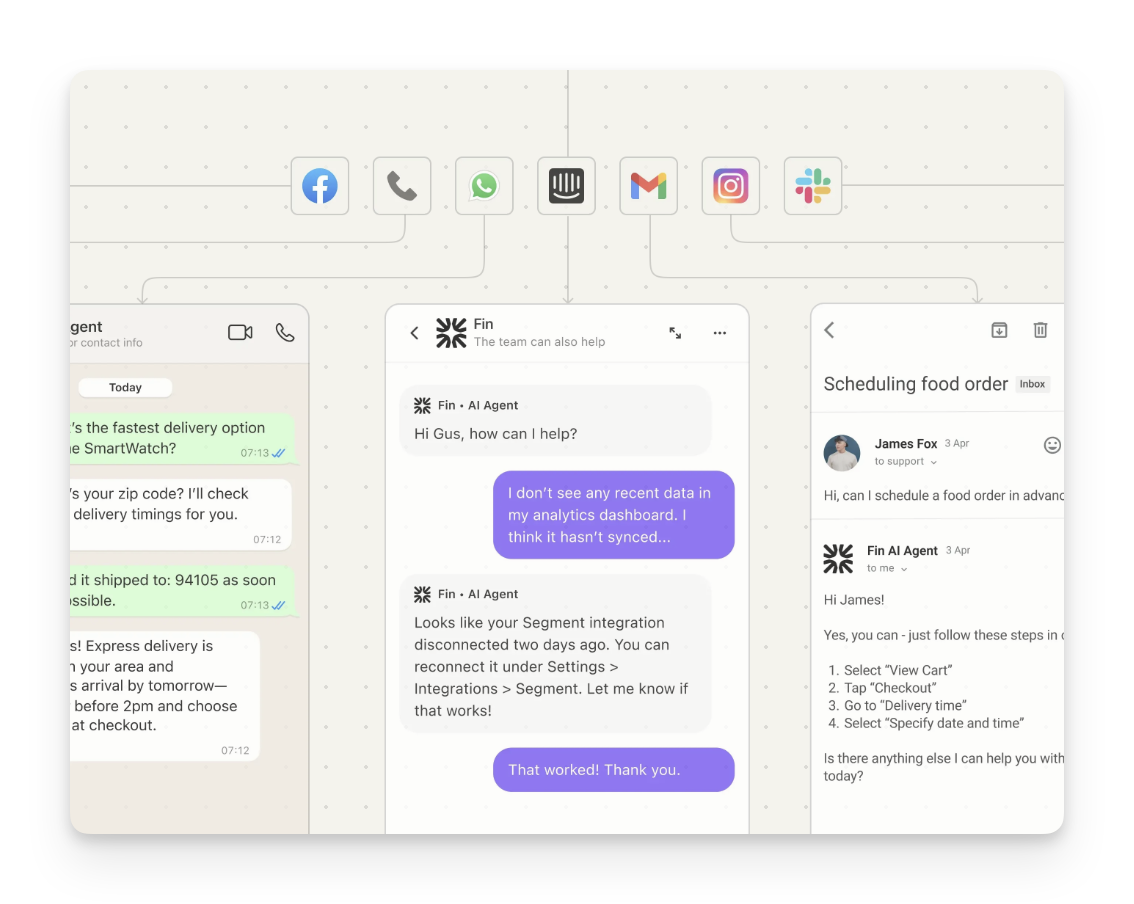
Sweo over chat
Deploy Sweo over chat to greet customers, instantly answer questions, and escalate issues to your team when needed—across live chat, SMS, and social channels.
Sweo over email
Sweo is fully optimized for delivering support via email and can provide instant, accurate answers to customer questions, making sure to filter out phishing attempts, spam, and other threats. Sweo will have full context of the email conversation history, and structure every answer specifically for the email channel, making sure to escalate to human support exactly when it needs to.
Sweo over phone
AI phone support, built for real conversations. Sweo Voice answers calls naturally, handles complex questions, and connects customers to human agents when needed.
Sweo over API
Sweo over API allows you to integrate Sweo into any experience—from custom messengers to help center search bars—without changing existing systems.
Human handoff
Configure how and when Sweo triages conversations or hands off to your human support team. Sweo will always automatically handoff when that is the safest option for the customer.
Audience targeting
Sweo shows up for your customers how and when you decide—by audience, region, channel, and more—helping you stay in control and maintain support availability.
Usage limits and notifications
Receive notifications or stop Sweo delivering AI Answers to customers when a defined resolution limit is reached.
Integrations
You can choose to set up Sweo with your existing helpdesk or as part of the Intercom Customer Service Suite—with support for additional platforms and custom channels coming soon.
Sweo already works seamlessly with Zendesk and Salesforce:
Set up in under an hour.
Uses your current support channels—tickets, email, live chat, and more.
Follows your existing assignment rules, automations, and reporting.
Escalates to agents in your preferred inbox.
If you're interested in integrating Sweo with another helpdesk, you can join our waitlist here, by entering your details and our team will be able to reach out to you once the integration becomes available.