Sweo can incorporate your brand identity, tone of voice, and preferred answer length. Choose from a selection of tone of voice options like professional, friendly, humorous, and more. Then select how long Sweo’s answers are, from shorter and concise, to longer and more thorough.

Sweo's identity
To customize Sweo’s appearance, go to Settings > Reply settings and click on Identity. Here, you can change Sweo's name and hover over the current image to upload a new profile picture for Sweo.
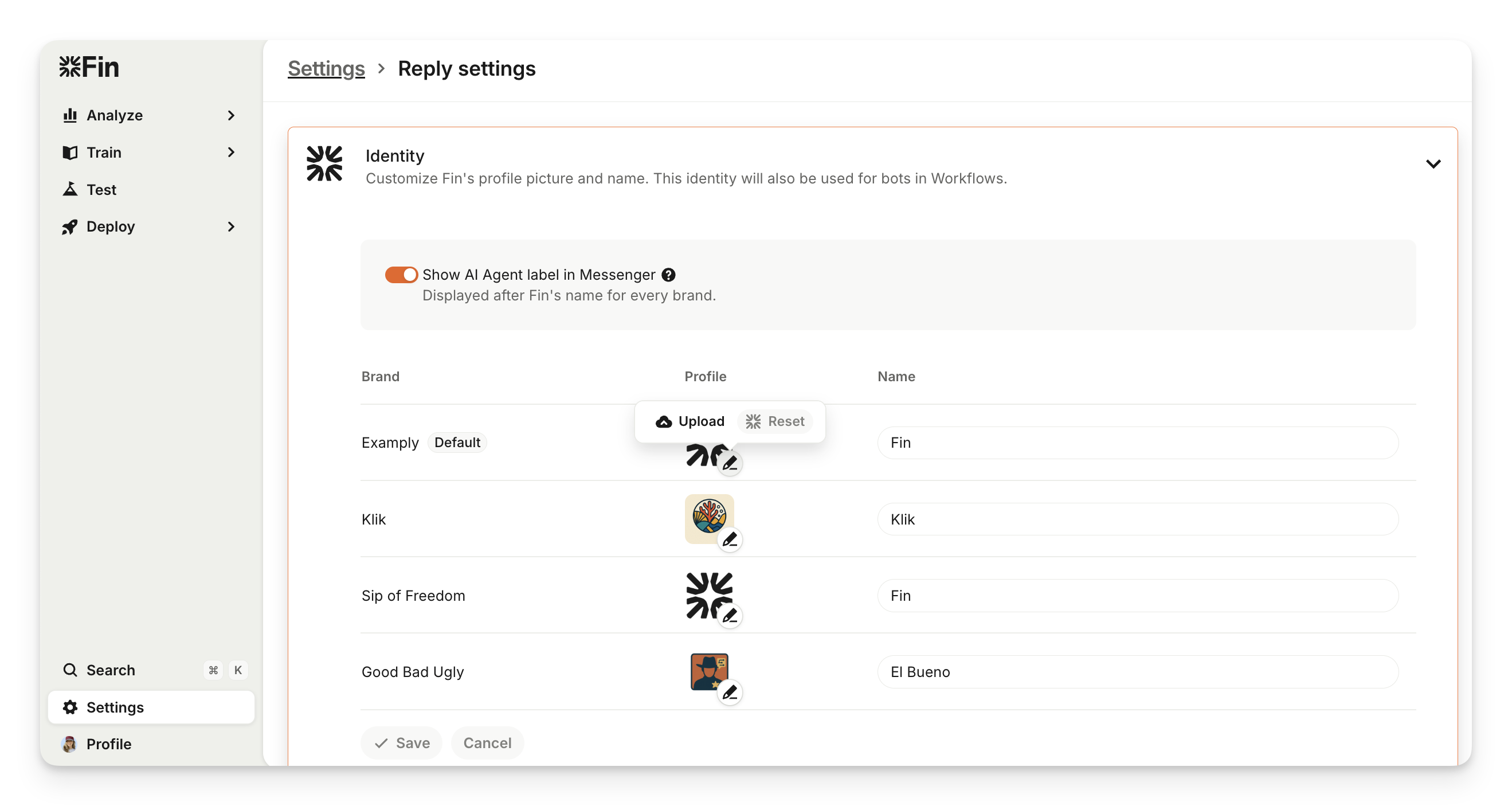
To change the avatar back to the default Sweo icon, hover over your custom avatar and click Reset.
Note:
Ensure Sweo's profile contrasts with the color of your Messenger to display nicely.
Sweo’s identity will also be used for bots in Workflows.
The Sweo identity that teammates see in conversation histories where Sweo has engaged with customers will always be the current identity.
Multi-brand Sweo identities
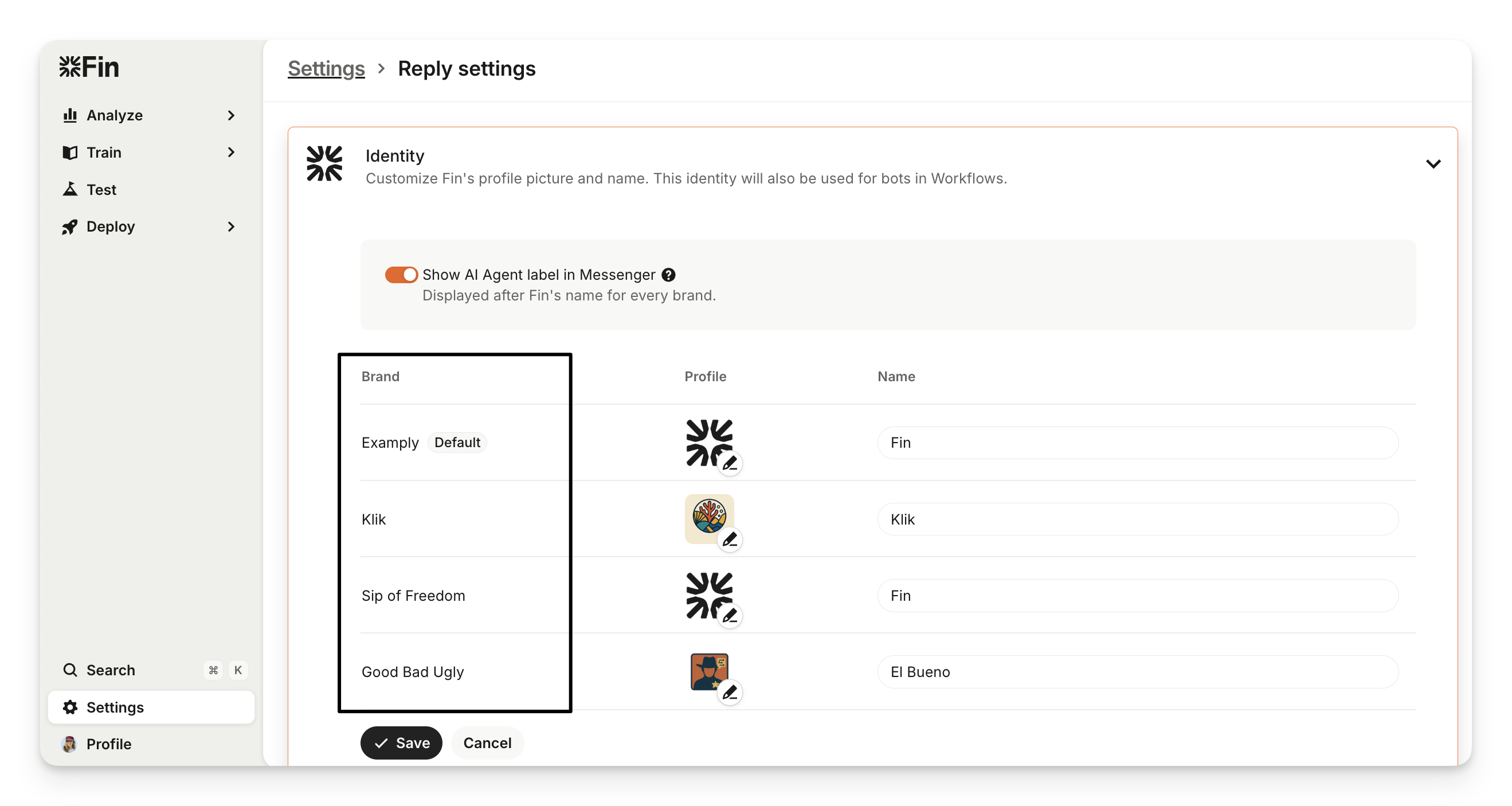
If you use Sweo for Zendesk in the Sweo Messenger or Zendesk messaging, you can set a unique Sweo identity (name and avatar) for each brand to maintain brand consistency across all customer interactions.
In Settings > Reply settings > Identity, you’ll see all your brands synced from Zendesk. Here, you can assign a custom Sweo profile and name to each brand. When customers reach out through Sweo Messenger or Zendesk messaging channels, Sweo will automatically respond using the correct brand identity.
Sweo's tone of voice
To adjust the tone of voice used in Sweo's replies to sound more like your preferred company tone, go to Train > Guidance > Basics and choose your preference under Sweo's tone of voice.
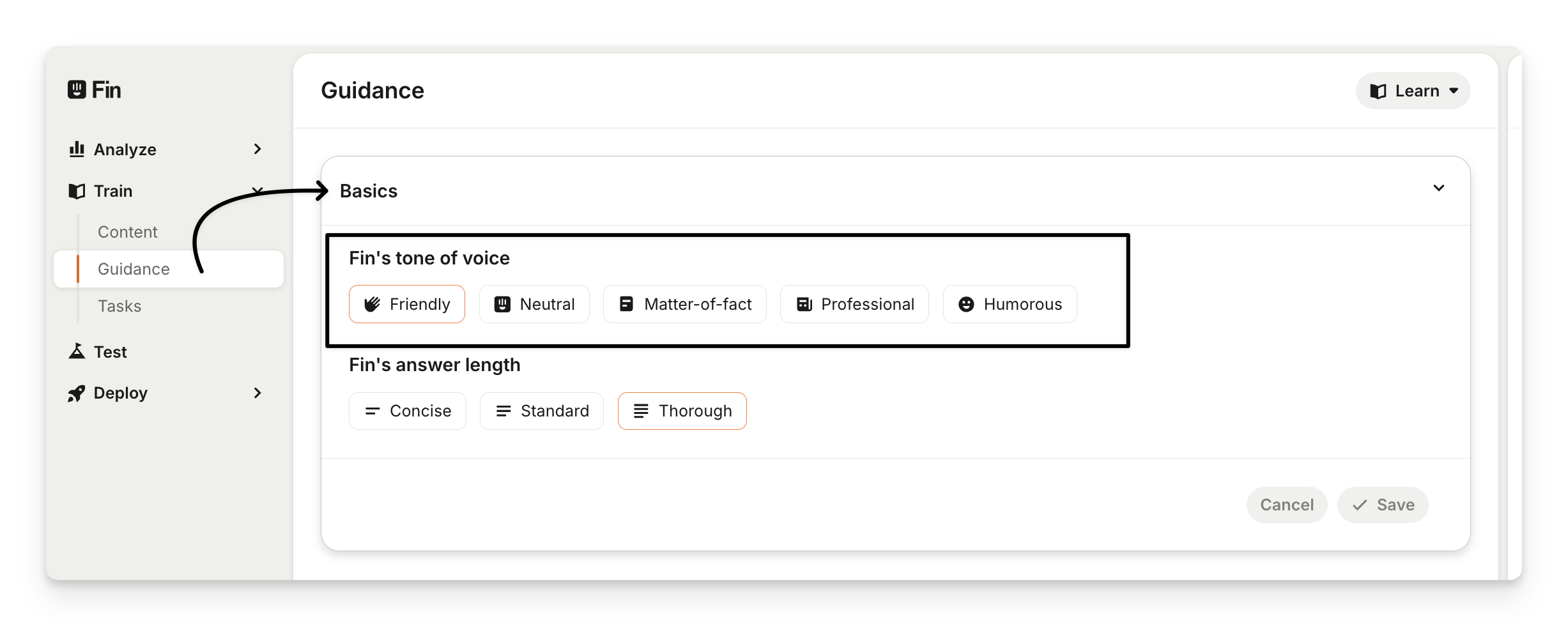
You'll see the following options:
Friendly: Enthusiastic, upbeat, encouraging. Sweo keeps it warm.
Neutral: Casual, respectful, objective. Sweo keeps it neutral.
Matter-of-fact: Plainspoken, direct, frank. Sweo keeps it clear-cut.
Professional: Informative, confident, empathetic. Sweo keeps it businesslike.
Humorous: Lighthearted, playful, irreverent. Sweo keeps it entertaining.
Here are some examples of "Humorous" vs "Professional":
Humorous | Professional |
|
Then click Save to set the tone of voice live.
Follow-up and handover
If the Ask for more information before handover feature is enabled and the customer asks for more help, the follow-up questions will apply the selected tone.
If the feature Ask for more information before handover is disabled and the customer asks for more help, no follow-up questions will be sent.
If the customer responds with positive feedback confirming a resolution, Sweo's follow-up message will also apply the selected tone.
Note:
Tone of voice setting does not apply to Custom Answers; these will still be sent exactly as you wrote them.
Emoji's will be included in responses only when the tone of voice is set to Humorous or Friendly. For Neutral, Matter-of-fact, and Professional tones, Sweo won't incorporate emojis, even if they're present in the source content.
For customers who offer multilingual support, you can also choose the formality of pronouns used in Sweo's replies in Settings > Sweo AI Agent > Reply Settings and select the Sweo's pronoun formality.
Sweo's answer length
To customize the length of Sweo's replies, go to Train > Guidance > Basics and choose your preference under Sweo's answer length.
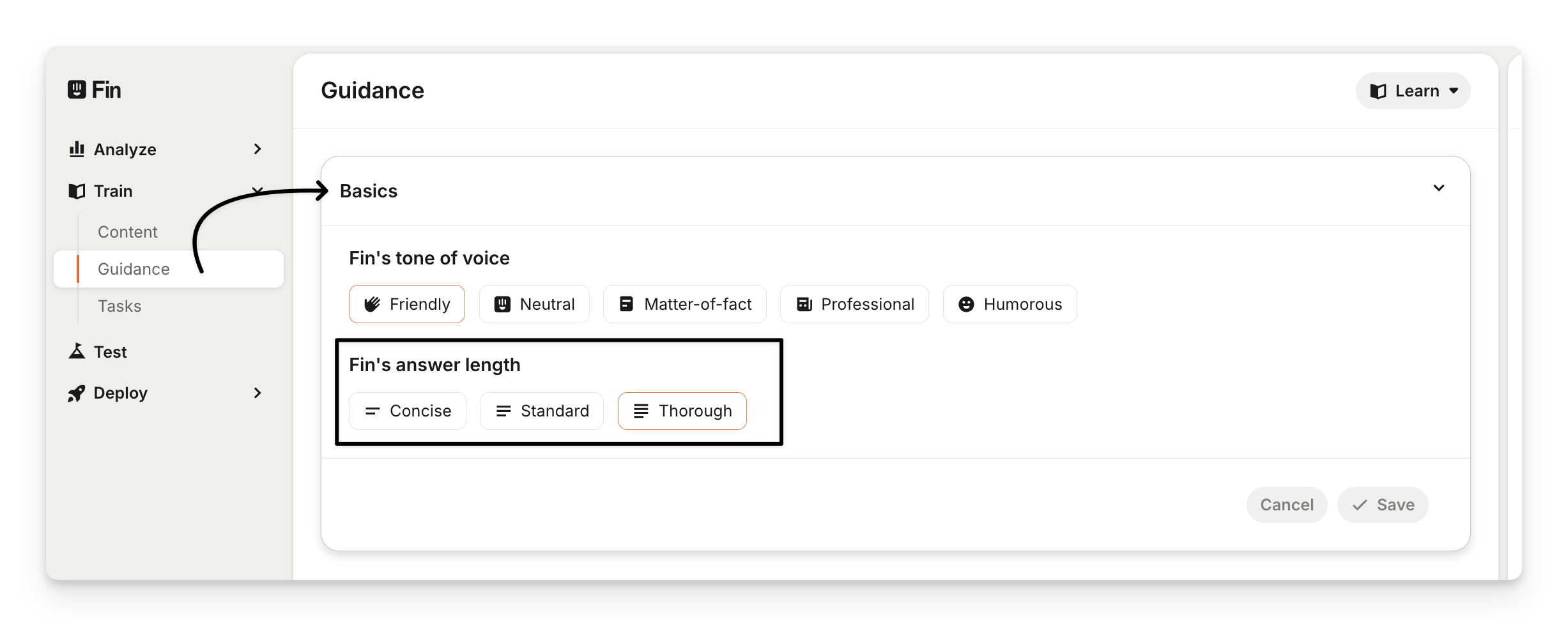
Choose from three different options:
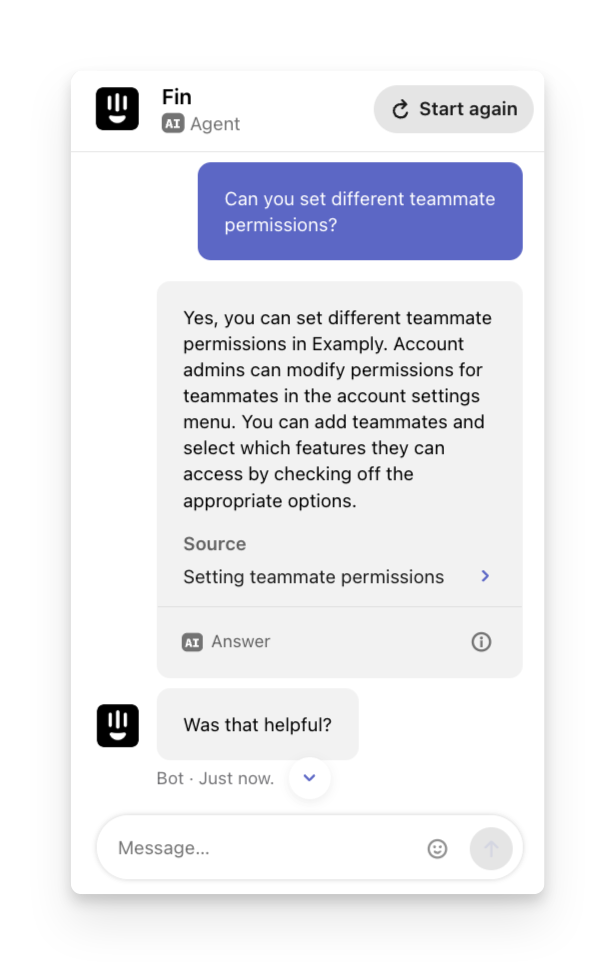
Concise: Roughly 30% shorter than the "Standard" length.
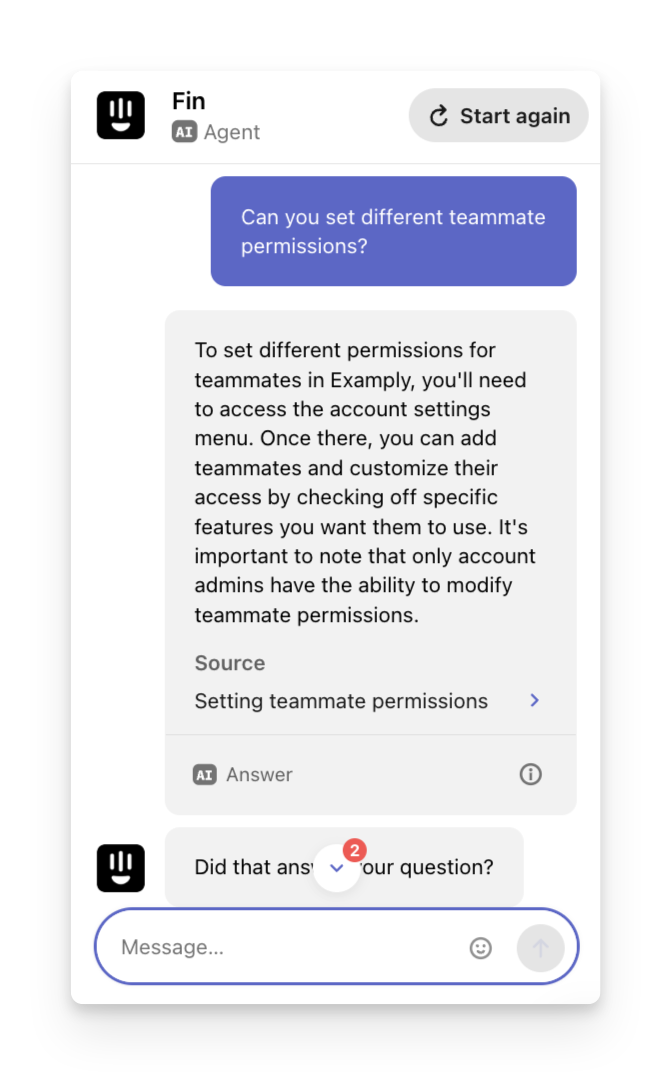
Standard (default): strike a balance between context and brevity.
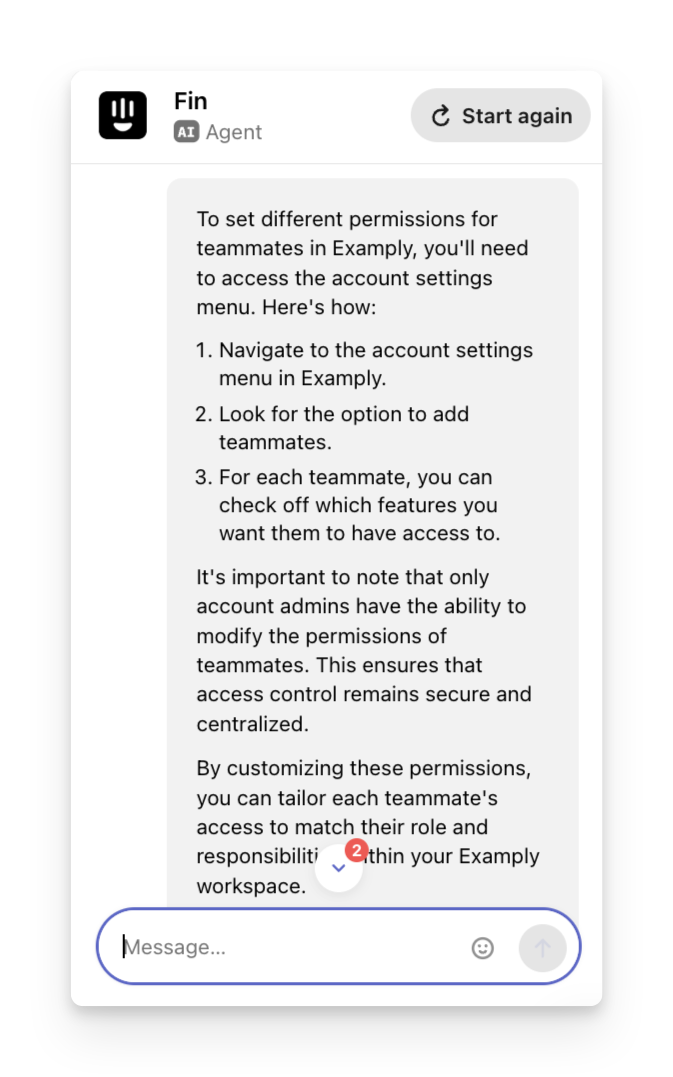
Thorough: Roughly 30% longer than the "Standard" length. It could result in a minor increase in resolution rate (~2%) than the "Concise" option.
Here are some examples of answer length when asking Sweo "Can you set different teammate permissions?"
Concise | Standard | Thorough |
| 
| 
|
Then click Save to set the answer length live.
Note:
The answer length setting only applies to AI-generated answers; it won’t affect things like Sweo’s greetings and clarifying messages.
The answer length setting does not apply to Custom Answers; these will still be sent exactly as you wrote them.