A customer starts a conversation
Your workflow
"Let Sweo answer" is the point in a conversation where Sweo will start responding.

The experience
Description | Visual |
Customers can chat with Sweo via the Sweo Messenger, from your website or app.
Sweo will greet your customers initially and then they can start asking questions. | 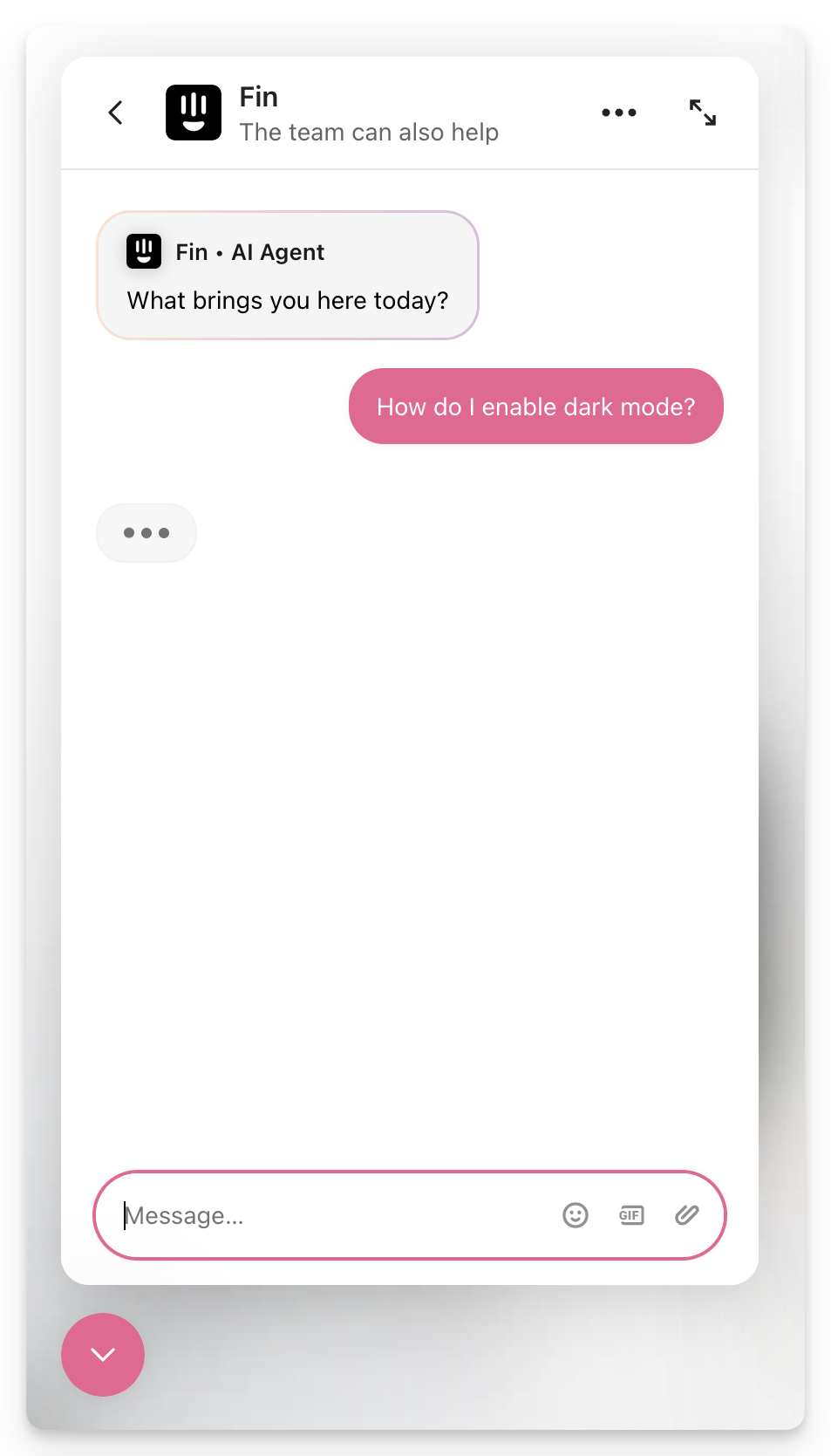
|
With the right training, Sweo should be able to resolve their query. | 
|
Customer wants to speak to a person
When a customer wants to speak to an agent, there are two hand over options:
1) Hand-off to Zendesk agent
A live chat will be created in Zendesk for a member of your team to pick up.
2) Create Zendesk ticket
The user's messaging session will end and a separate ticket will be created with a summary of the conversation and any collected or set data.
"Hand-off to Zendesk agent" is used
When should I use this?
Best when you want to resolve customer queries as quickly as possible and have support agents available to answer.
Companies commonly use this during their office hours.
Your workflow
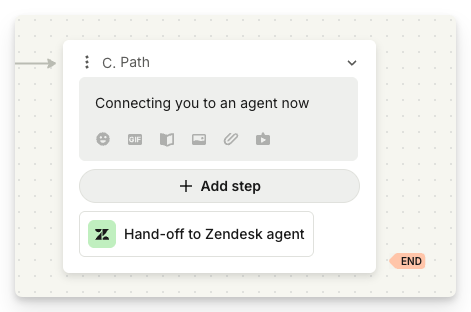
Add the "Hand-off to Zendesk agent" step.
The experience
Description | Visual |
Customer experience When Sweo is unable to answer a customer's question, Sweo can assign to an agent in Zendesk who can continue talking to the customer in the Sweo Messenger. | 
|
Agent experience This creates a conversation in Zendesk for one of your agents to pick up and continue chatting to the customer.
|


|
Customer experience When your agent replies to the conversation, their replies appear in the Sweo Messenger creating a seamless experience for the customer. | 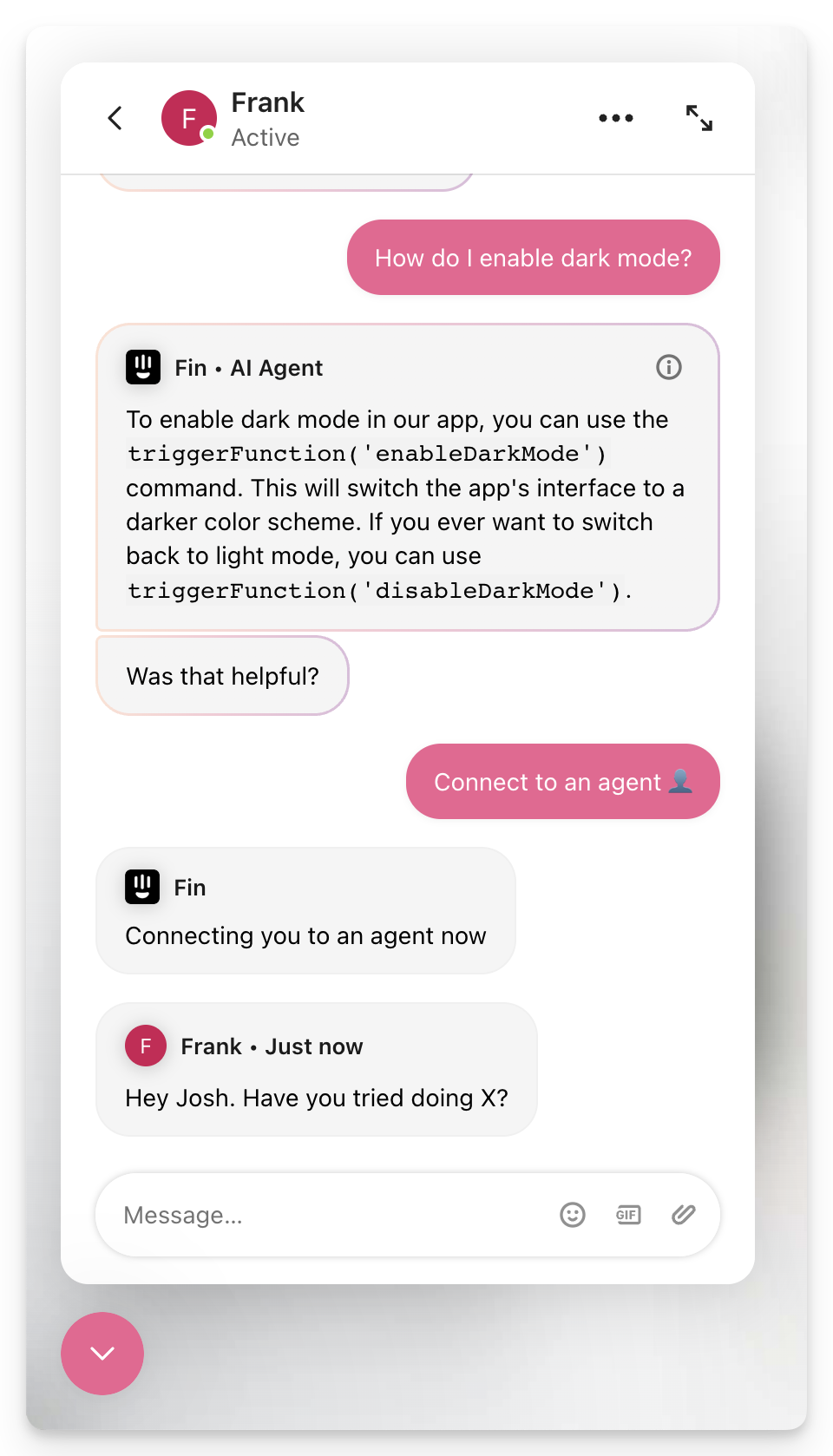
|
"Create Zendesk ticket" is used
When should I use this?
Best when you have a small support team, or your team won't be immediately available to pick up the customer query.
This is also commonly used outside of office hours, so your team can follow up with a customer via email when they return.
Your workflow
Add the "Create Zendesk ticket" step

Note:
When handing off from the Sweo Messenger to a Zendesk Ticket, if no email has been detected, we will automatically ask the customer to enter an email address in order to create the Zendesk ticket
The experience
Description | Visual |
Customer experience Sweo can create a ticket for an agent to pick up when they're ready. This closes the chat in the Sweo Messenger, and your team can continue talking to the customer via email. | 
|
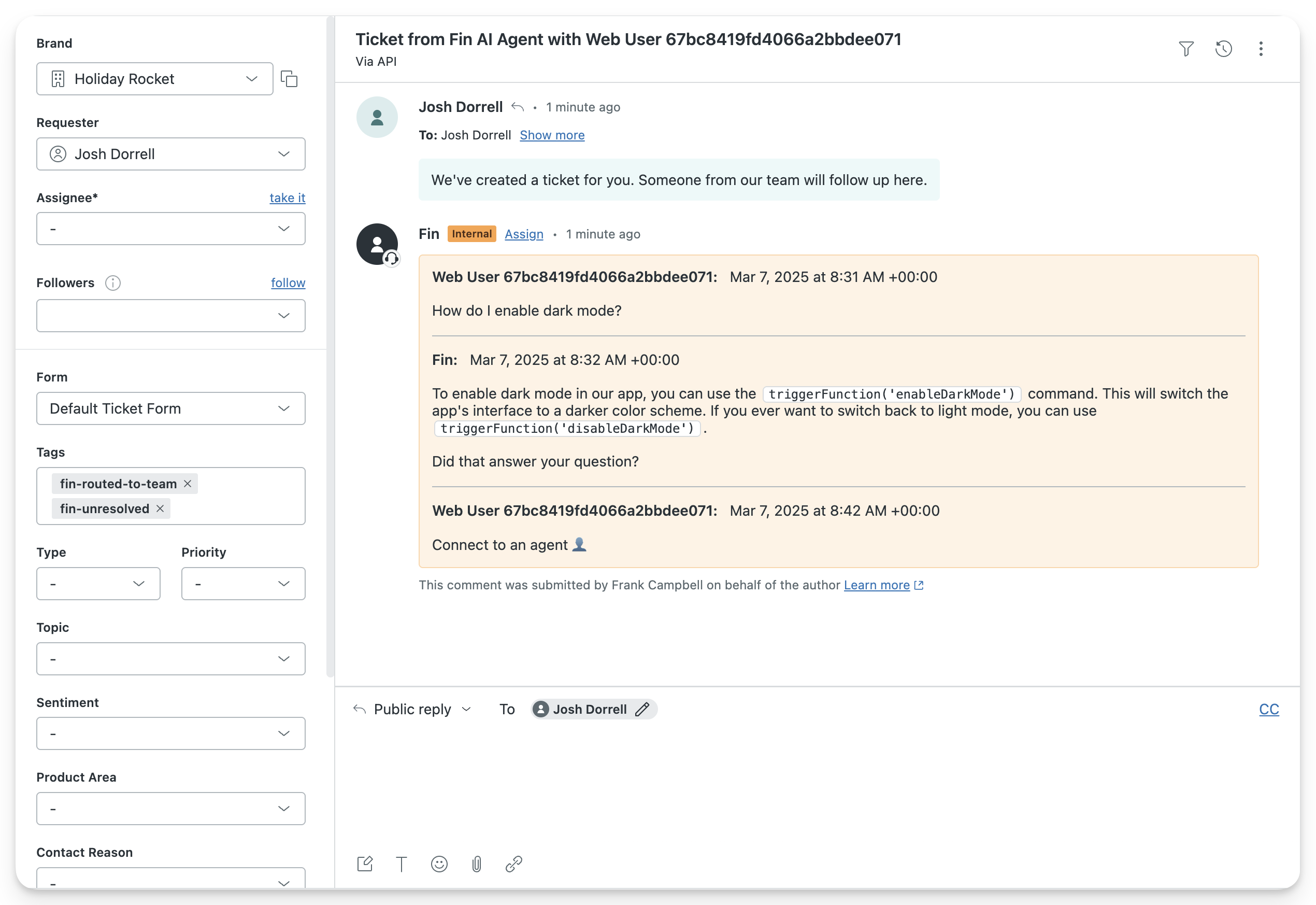
Agent experience A ticket gets created in Zendesk, that an agent can pick up when they're ready. | 
|
Agent experience Sweo drops a note onto the ticket with a transcript of the conversation it had with the customer, so your agent has all of the necessary context. | 
|
Agent experience Any collected/set data attributes or tags will be added to the ticket. | 
|
Why should I use the Sweo Messenger rather than Zendesk Messaging?
The Sweo Messenger has been designed for Sweo, so the customer experience will be enhanced.
The Sweo Messenger can be used with all Zendesk plans enabling you to offer an AI Agent messaging experience even if you aren't paying for Zendesk Messaging, which is on the Zendesk suite plan or Support+Chat plan.