Customizing logos in Sweo helps you align your support experience with your brand. You can update the AI Agent logo directly in Sweo and manage launcher logos depending on the messaging platform you use.
Key benefits
Consistent branding across your support experience.
Clear AI Agent identity in customer-facing conversations.
Platform-aware customization for Sweo Messenger and Zendesk Messaging.
Change the AI Agent logo in Sweo
To update the logo that represents your AI Agent in customer conversations:
Navigate to Settings > Reply settings in your Sweo workspace.
Select Sweo's identity.
Upload your company logo to replace the default AI Agent logo.
The uploaded logo will appear wherever Sweo AI Agent is visible to customers.
Customize messenger launcher logos
Messenger launcher logos are configured differently depending on the messaging platform you use.
In Sweo Messenger
If you use Sweo Messenger:
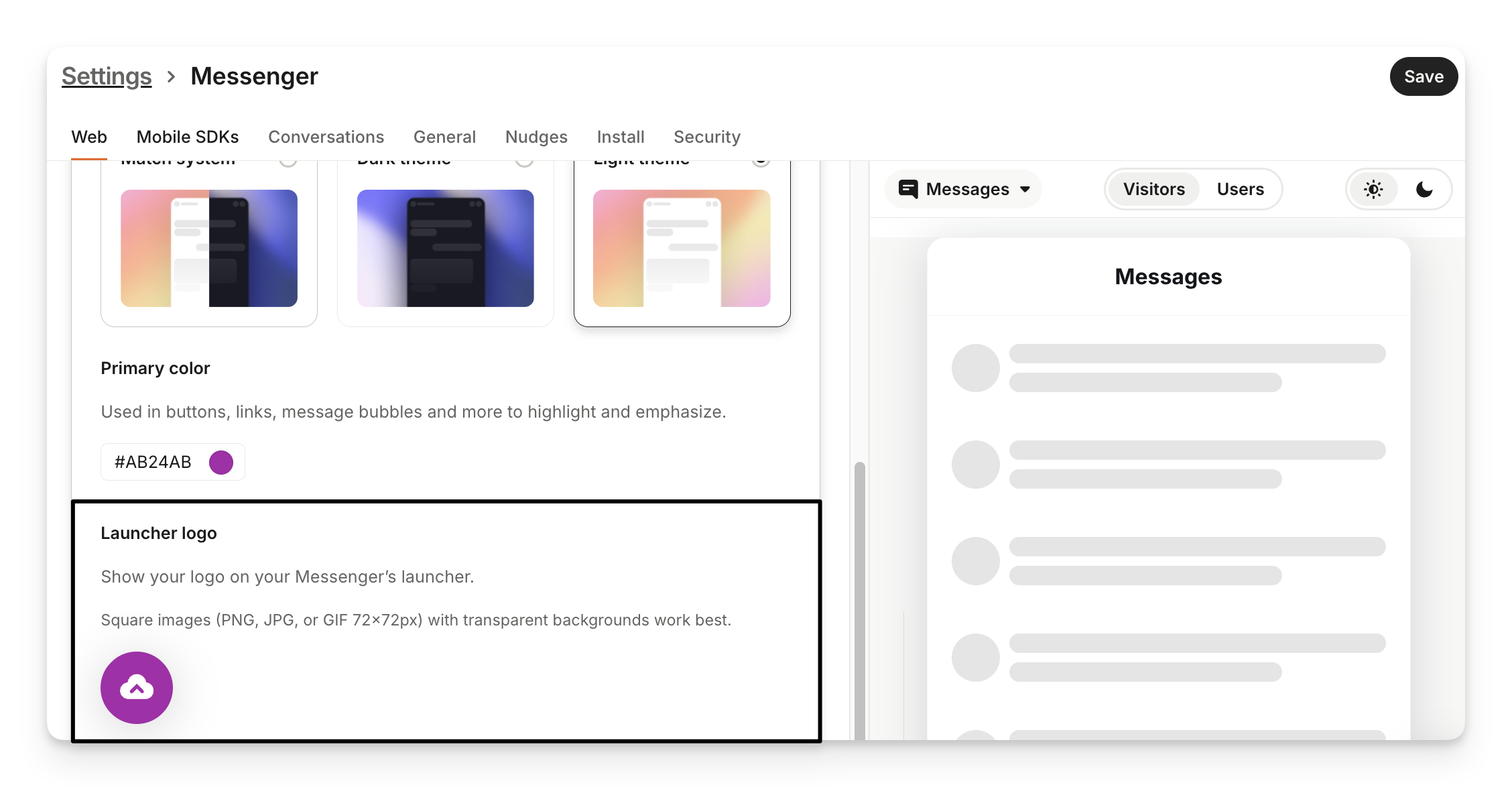
Open Settings > Sweo Messenger in your Sweo workspace.
Open Web or Mobile SDKs.
Select Appearance > Messenger theme & branding.
Upload your desired image in the launcher logo configuration.
In Zendesk Messaging
If you use Zendesk Messaging:
Launcher logos and visual styling are managed in Zendesk, not in Sweo
To update the launcher logo:
Navigate to the Zendesk Admin Center.
Open Messaging or Widget settings under your brand configuration.
Upload your custom logo following Zendesk’s guidelines.
Note: Changes made in Sweo do not affect launcher logos in Zendesk Messaging. Always update launcher visuals directly in Zendesk when using this platform.
Troubleshoot logo visibility issues
If your logo does not appear as expected:
Double-check the configuration to confirm the logo was uploaded in the correct location.
Verify the messaging platform you are using, as Sweo Messenger and Zendesk Messaging manage visuals separately.
Keeping platform-specific behavior in mind helps ensure your branding appears correctly.
FAQs
Can I use different logos for Sweo Messenger and Zendesk Messaging?
Can I use different logos for Sweo Messenger and Zendesk Messaging?
Yes. Each platform manages launcher visuals independently, allowing you to configure logos separately.
Does changing the AI Agent logo affect all platforms?
Does changing the AI Agent logo affect all platforms?
The AI Agent logo applies to Sweo interactions, but launcher logos depend on the messaging platform.