Understand how well your AI agent conversations are performing with a Sweo CSAT survey. You'll be able to measure your customers’ satisfaction with every Sweo AI Agent conversation, and identify conversations and areas that are performing well or in need of improvement.

By enabling Sweo CSAT, a survey can appear in a conversation when:
A customer replies with a positive feedback
A customer needs to be handed over to a teammate
A customer goes inactive (after your set amount of time)
Note: Sweo CSAT is currently not available over Zendesk tickets.
Get started
You can enable Sweo CSAT for both Deploy over Sweo Messenger and Deploy over Zendesk Messenger.
Add Sweo CSAT to a workflow
Sweo CSAT is configured through workflows.
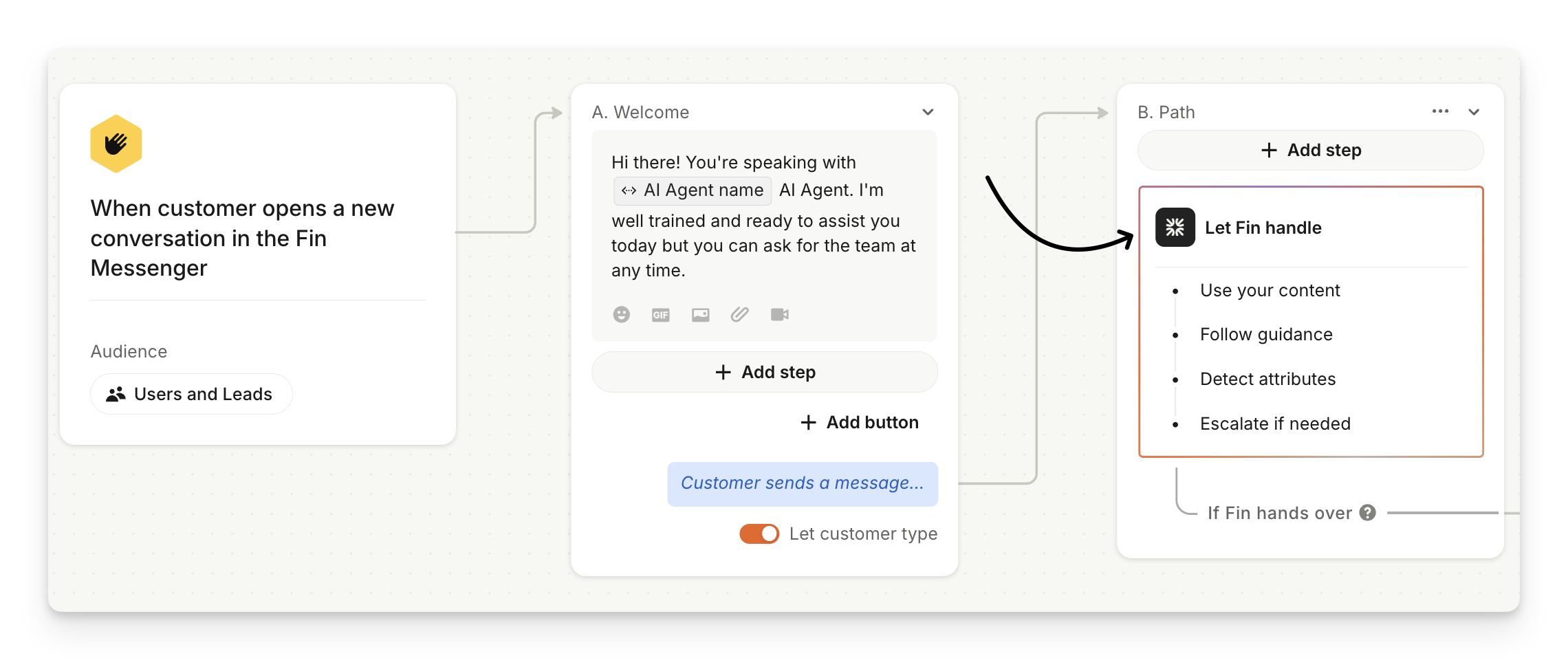
First, you'll need to create a path in a new or existing Sweo workflow and select the Let Sweo handle step.
A side panel will appear where you can toggle on the options below "Ask for conversation rating (CSAT)".
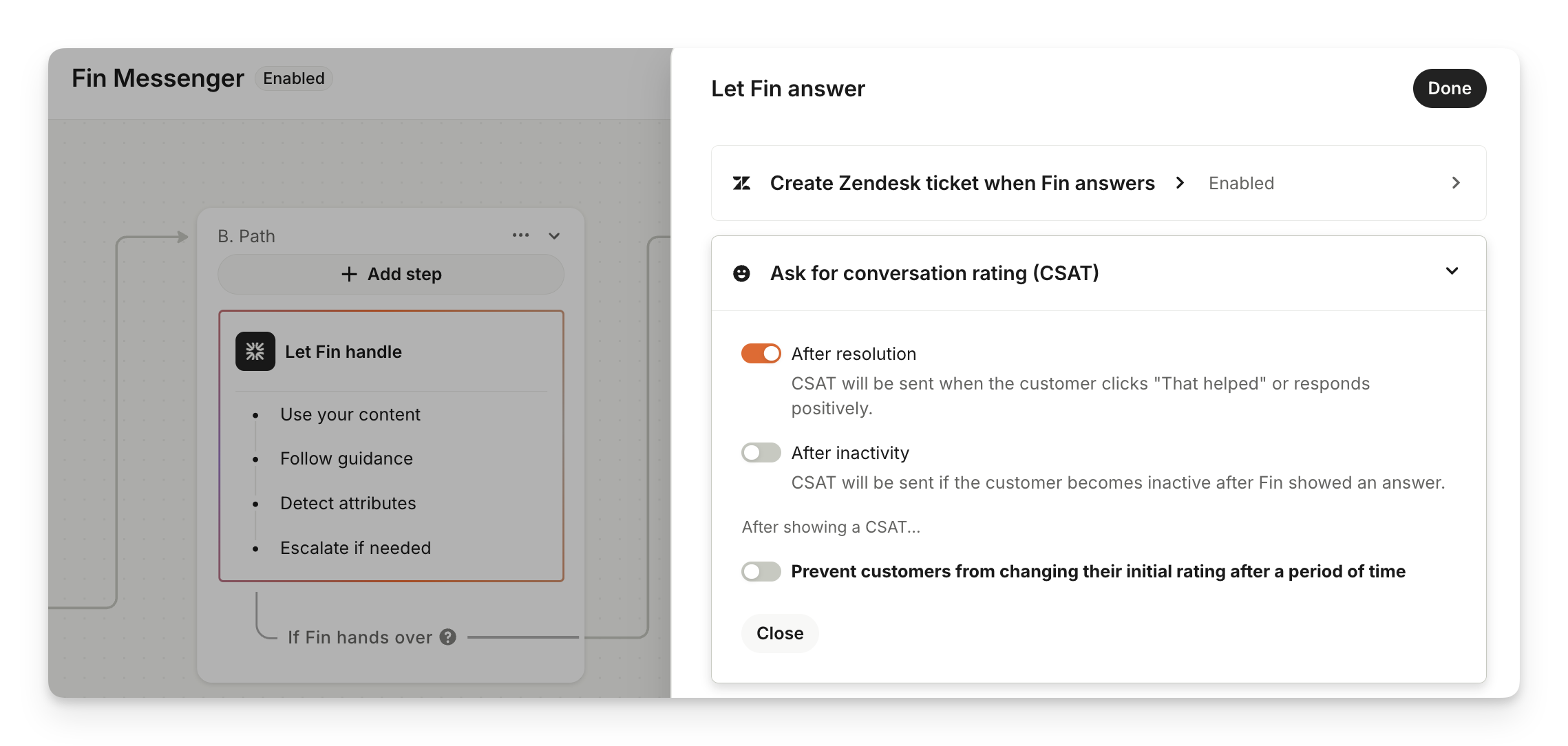
You can choose to either send CSAT:
When the customer replies with a positive message i.e. "Yes, that helped", "Ok, thanks" etc.
If the customer becomes inactive after Sweo showed an answer
Both
A 30-second delay period is applied after a customer replies with a positive message before sending the CSAT survey, to give them time to ask any follow-up questions if needed.
If the customer does ask follow-up questions and replies with a positive message again, the same CSAT survey will be sent again so that the customer can update and change their rating.
Sweo CSAT reporting
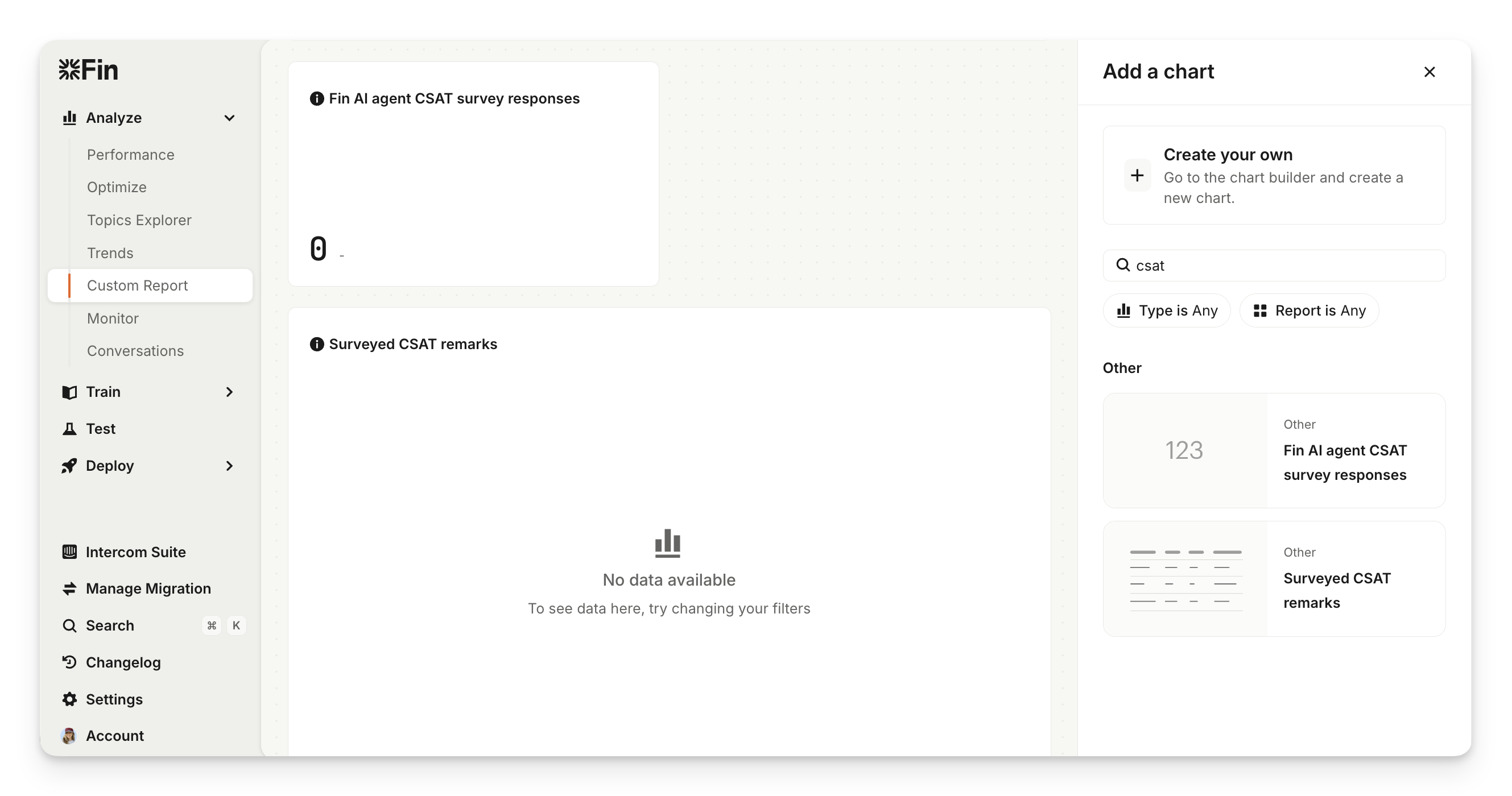
You can see Sweo CSAT performance when using the Custom Report charts:
Sweo Al Agent CSAT survey responses: Number of conversation ratings for Sweo AI Agent.
Surveyed CSAT remarks: Customer conversation ratings broken down into each remark: Amazing; Great; Ok; Bad; and Terrible.
You can drill in to each chart to read the remarks and view the conversations customers had with Sweo.
Custom Charts
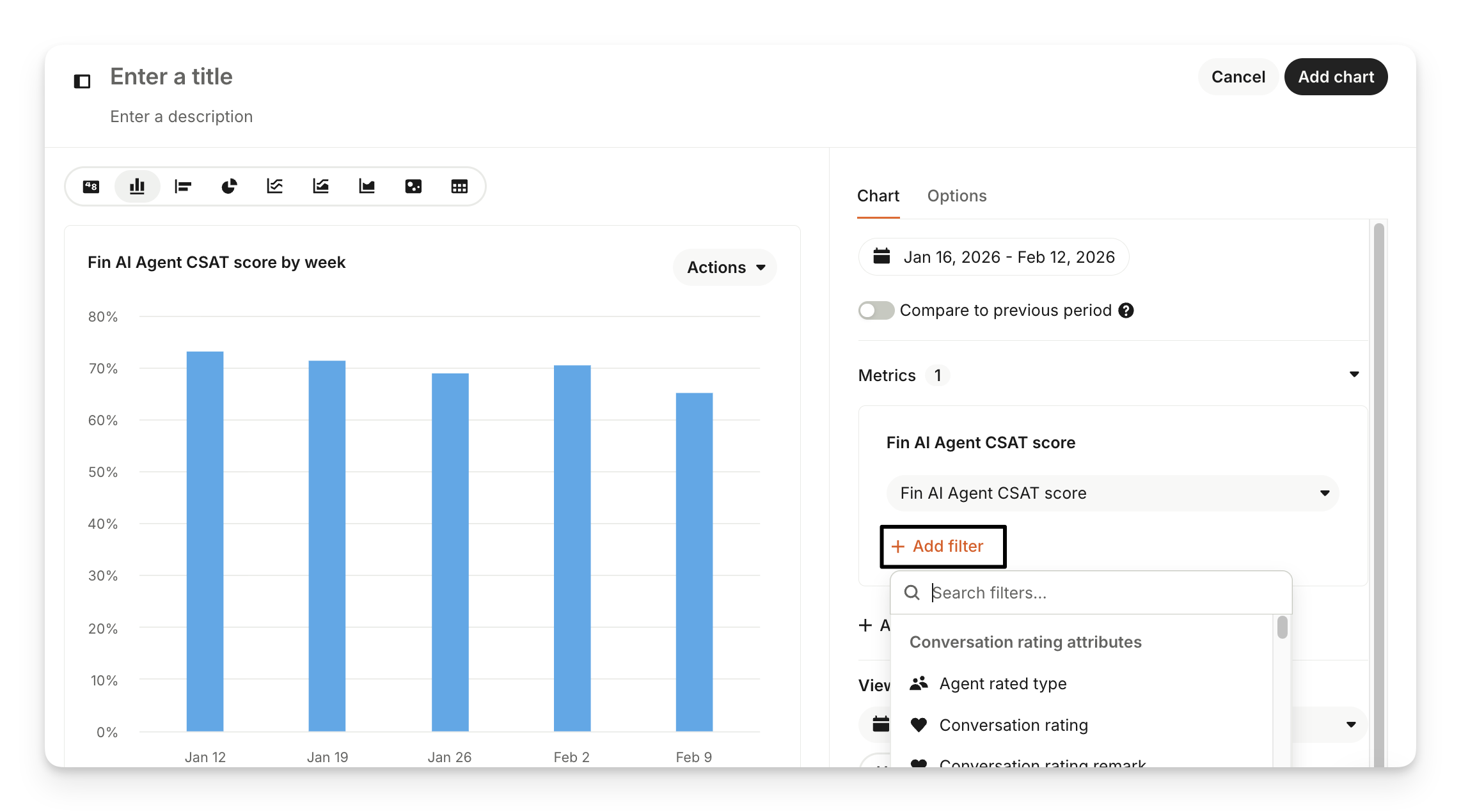
Clicking Edit > Add chart allows you to choose from pre-built charts, as well as build a custom chart that you can add to your report. You can build charts using a number of different metrics including the following:
Sweo AI Agent CSAT score
Sweo AI Agent conversation ratings
Sweo AI Agent negative conversation ratings
Sweo Al Agent positive conversation ratings
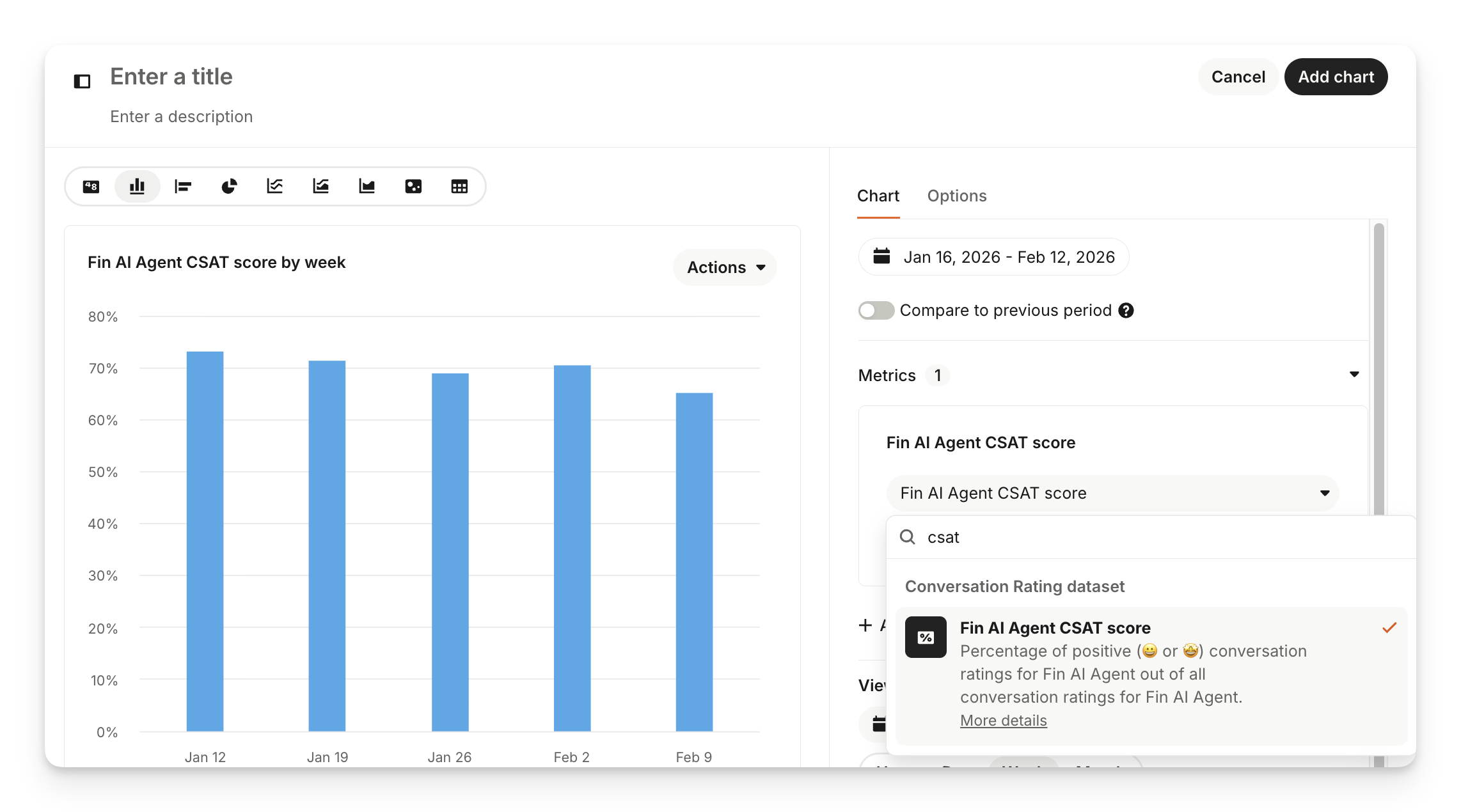
You can also edit a chart to add filters to your chosen metric.
FAQs
How can I make sure we're collecting CSAT on human agent chats?
How can I make sure we're collecting CSAT on human agent chats?
Sweo CSAT surveys are only sent after interactions with Sweo. If a conversation is transferred to a human agent in your helpdesk, any agent CSAT survey must be configured within your helpdesk system (e.g., Zendesk, Salesforce, etc.).