Sweo AI Agent can resolve up to 86% of your support cases, emails and messages on Service Cloud. Sweo delivers superior performance, answers more complex questions, and is easier to set up—creating a better experience for your team and your customers.
Works with your existing platform
You can set up Sweo on Salesforce in just four steps, and it will start answering questions immediately.
Sync your Knowledge Articles.
Connect to Salesforce using OAuth.
Customize Sweo’s greeting and hand-off.
Test Sweo and go live.
Channels
Sweo on Service Cloud includes all of the latest Sweo 2 features & capabilities, and works across the following channels:
Cases (email, web forms)
Live chat on Sweo Messenger with handoff to:
Salesforce In-App Messaging (new)
Coming soon:
Live chat on Salesforce Messenger
Facebook Messenger
WhatsApp
Instagram Direct Message
Android
iOS
Features
Sweo and Salesforce Cases
Sweo can resolve cases on Service Cloud while drawing on the conversation history for full context, and structuring every answer specifically to each channel. When a customer sends an email or submits a form, Sweo can pick up the case based on your assignment rules and answer it.
Sweo Messenger for Salesforce
Sweo automatically pushes live chat data into Salesforce Pre-Chat fields. These fields capture essential information like user details and query intent at the beginning of every interaction.
You can map data stored in the Pre-Chat fields to specific Salesforce objects using Salesforce Flows. This allows your team to automate workflows and streamline customer service processes.
Sweo and Workflows automations
Easily create powerful drag-and-drop automations with Workflows, Intercom’s no-code visual builder.
Determine how Sweo greets a customer
Route questions with AI by topic, sentiment, and more
Triage new cases
Collect customer information like email, name, etc.
Use Custom Answers for specific questions
Summarize the conversation with AI
Hand over to your team
And more
Sweo performance insights
Since all cases that Sweo is involved in are captured on Salesforce, you can report on them using your reporting tools directly in Salesforce.
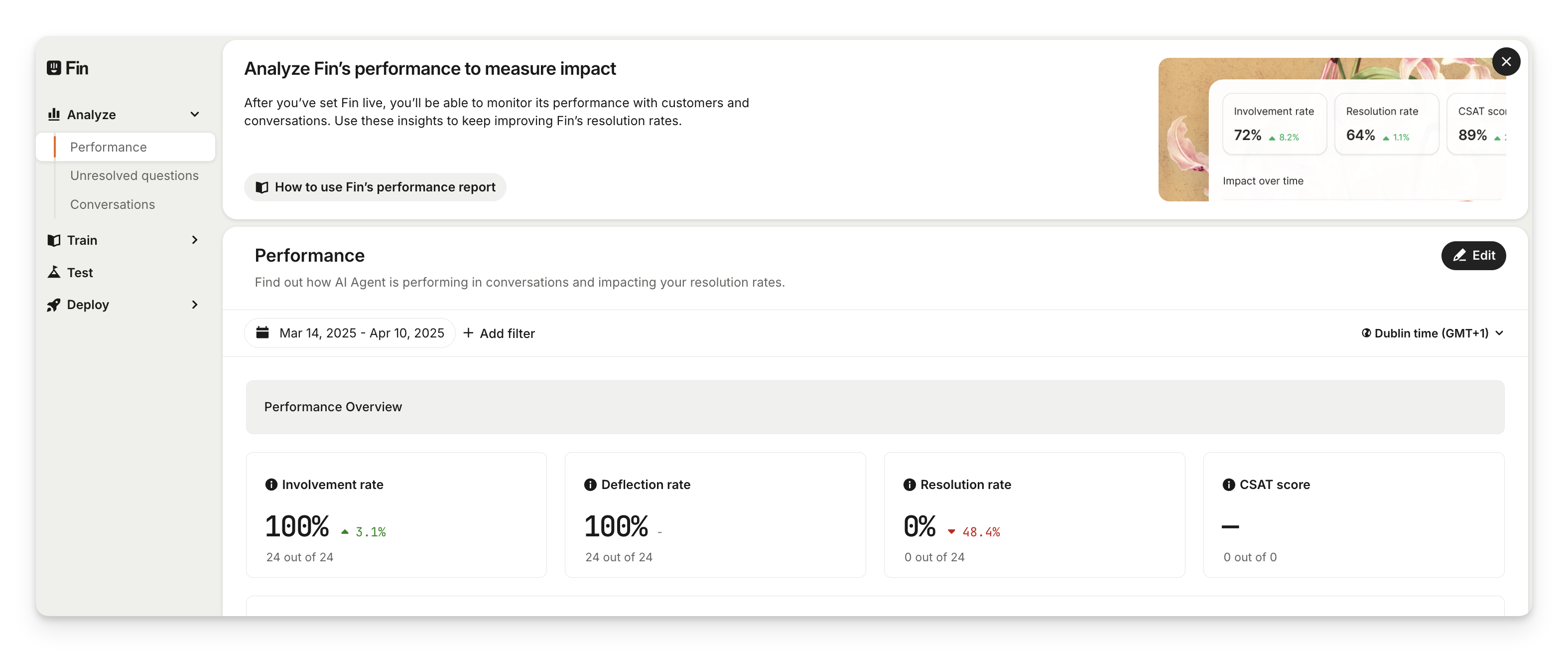
You can also track Sweo’s quality and performance using a report that showcases key metrics and charts, including:
Involvement
Deflection rate
Answer rate
Resolution rate
Impact over time (answer rate, deflection rate, resolution rate)
Resolution state (confirmed resolution, assumed resolution, routed to the team)
AI answer resolution rate
Custom answer resolution rate
Abandoned rate
Routed to team rate
In Salesforce Flows, you can map Sweo data fields directly to other objects, enabling automatic assignment into relevant cases or customer information. This enables precise handling of incoming data based on the mapped logic.
Contact sales if you're interested in getting access to Sweo for Salesforce.