Understanding how your Sweo Procedures are performing and where they're adding value is crucial. After you've set a Procedure live, you can quickly see how it's behaving in live conversations by tracking a few key signals.
Note: Sweo Procedures are available through managed availability. Please contact your account manager to confirm eligibility and learn more about getting access.
Key Performance Signals
Sweo tracks the following three key signals to show a Procedure’s value. You can view these key metrics from Sweo AI Agent > Train > Procedures:
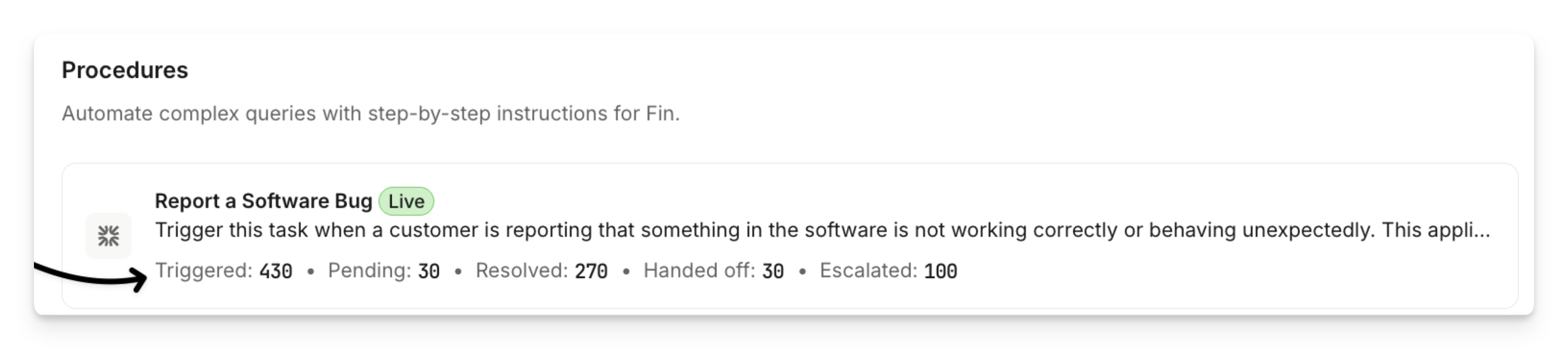
Triggered - The number of conversations in which Sweo has started this Procedure based on its trigger description. This helps you understand how often customers encounter scenarios mapped by your Procedure.
Pending - The number of conversations that are still in progress and don't yet have a resolution state.
Resolved - Conversations the Procedure completed where the customer either gave positive feedback or didn't ask to talk to a teammate.
Handed off - The number of conversations in which the Procedure intentionally handed the conversation to a team or another workflow. These are configured handovers within your Procedure (for example, a “Hand off to Billing Team” action or an instruction within your Procedure Guidance settings).
Escalated - The number of conversations where a customer asked to speak to a human while a Procedure was running.
You can click on a metric and drill into the conversations.
Performance report
In Sweo AI Agent > Analyze > Support Performance you can see the "Procedure Handoff" as a new outcome.