Sweo Attributes in workflows
Sweo Attributes allow you to use AI-detected conversation attributes—such as conversation category or intent—to automate your workflows. When configured correctly, Sweo automatically detects these attributes during the conversation and makes them available for use in subsequent workflow steps, including branching and escalation logic.
How to use Sweo Attributes in workflows
Set up Sweo Attributes
Configure the Sweo Attributes you want to detect (for example, Urgency or Topic). These determine what Sweo will analyze during customer conversations.
Create Escalation Rules (optional)
Go to Train > Escalation.
Create an Escalation Rule and use one or more Sweo Attributes as the criteria for automatic handover to your team.
You can also include additional attributes such as User, or Company attributes.
Add a Sweo block to your workflow
Insert a Let Sweo handle step in your workflow. Sweo automatically detects the configured attributes during this block, no separate “Detect attribute” step is required.
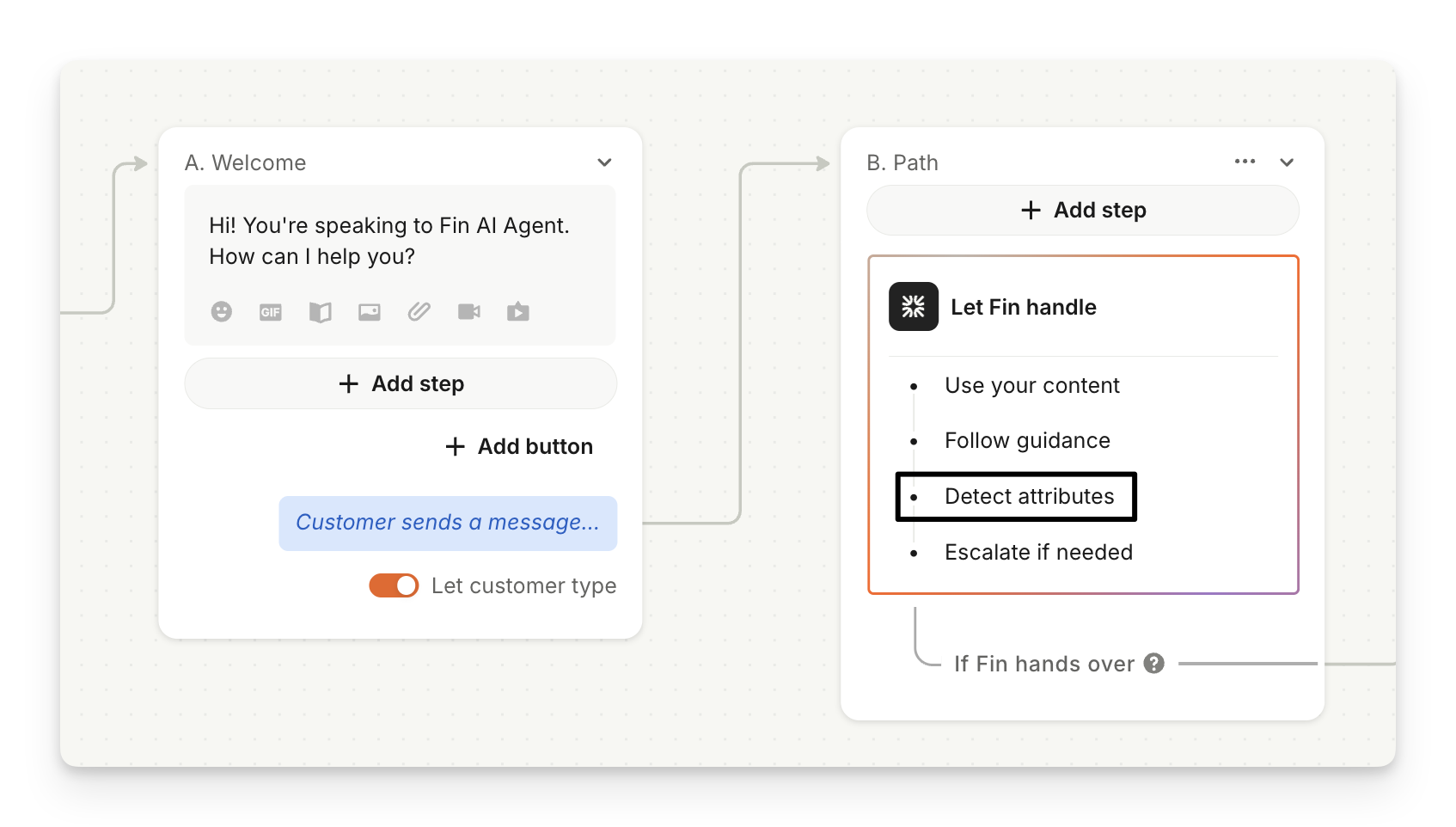
Important: Sweo attributes can only be detected after a Sweo block runs, not before or without one. This is what enables Sweo to be involved in the conversation.
Triage based on Sweo Attributes
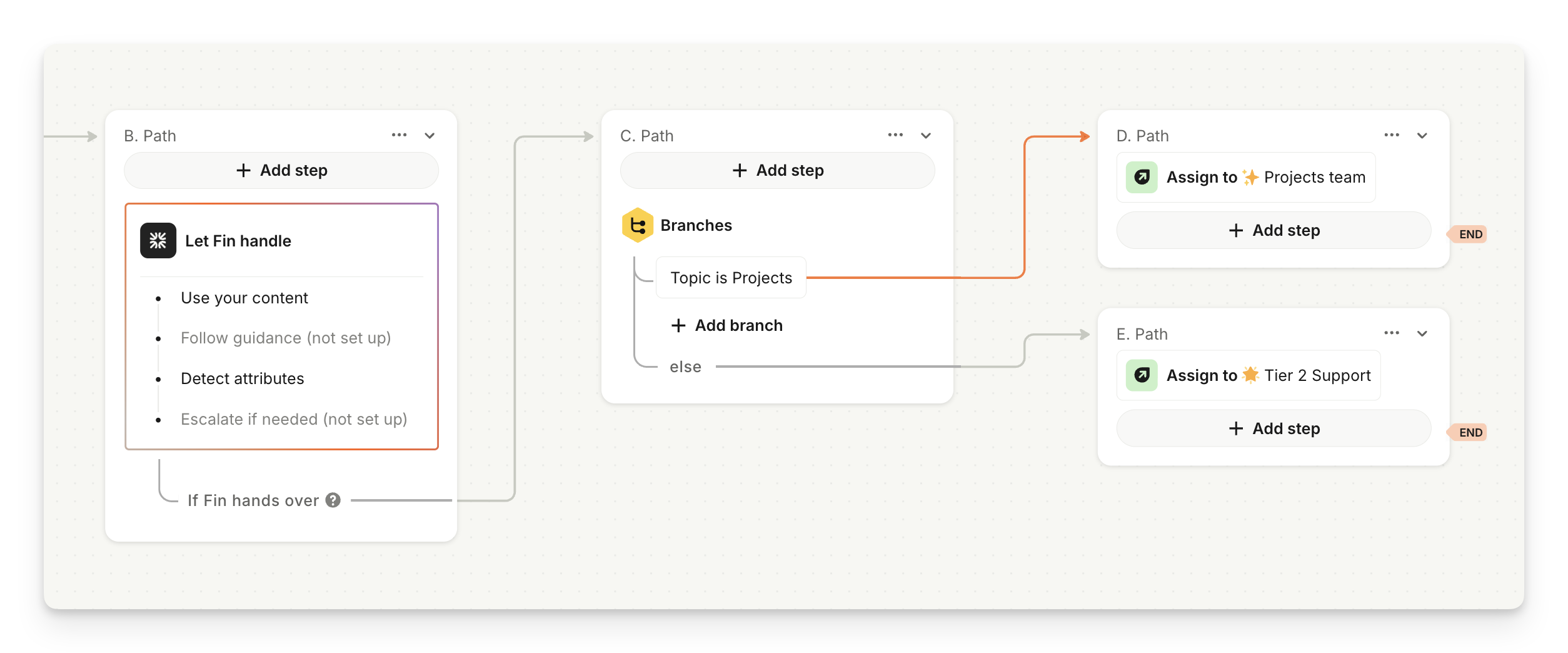
After the Sweo block, add a Branch step.
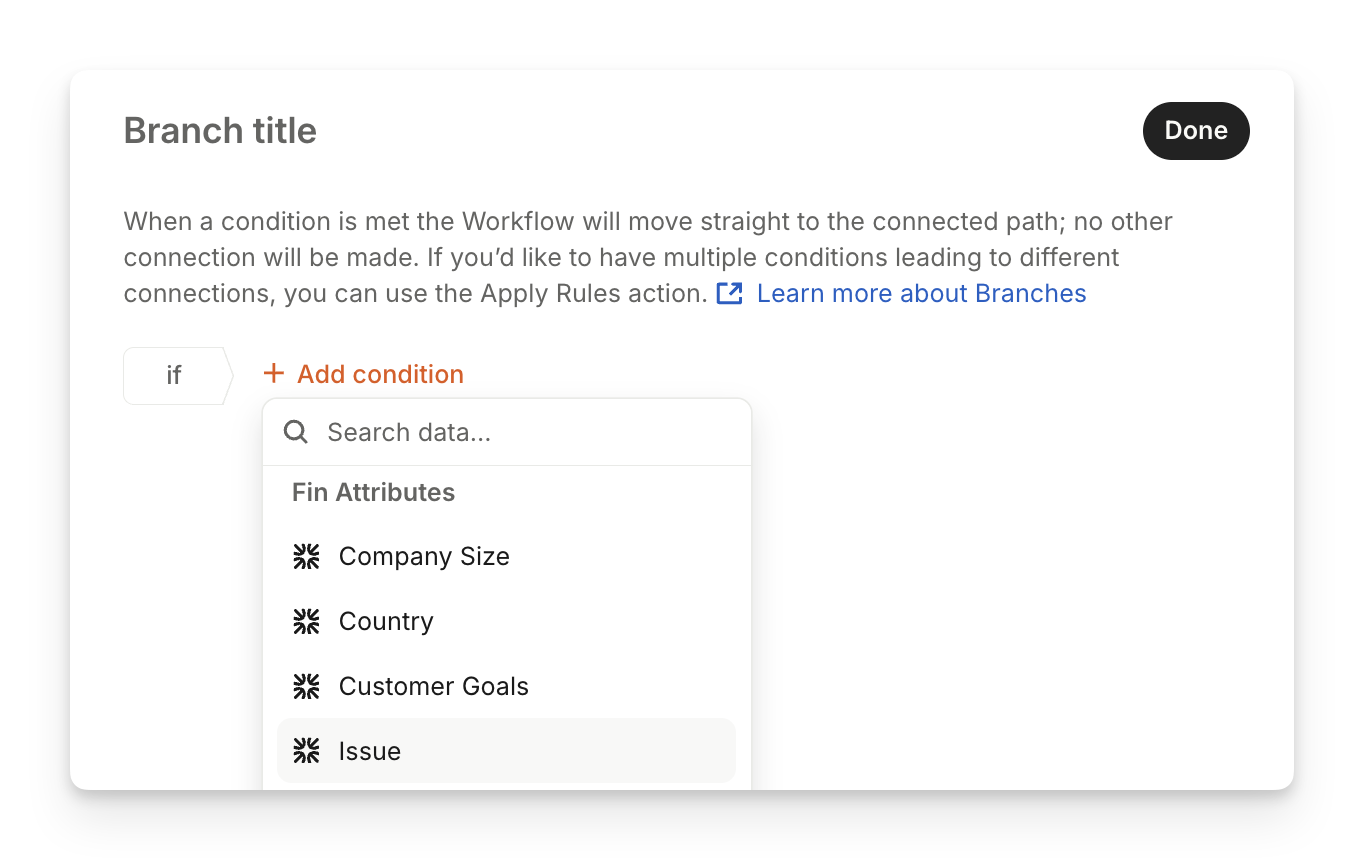
Set the branching condition to one of your Sweo Attributes by searching for it by name.
Define what should happen next. For example:
If the topic Sweo detected is Projects, assign to Projects team.
Else, assign the conversation to Tier 2 Support.
Branch based on Escalation Rules
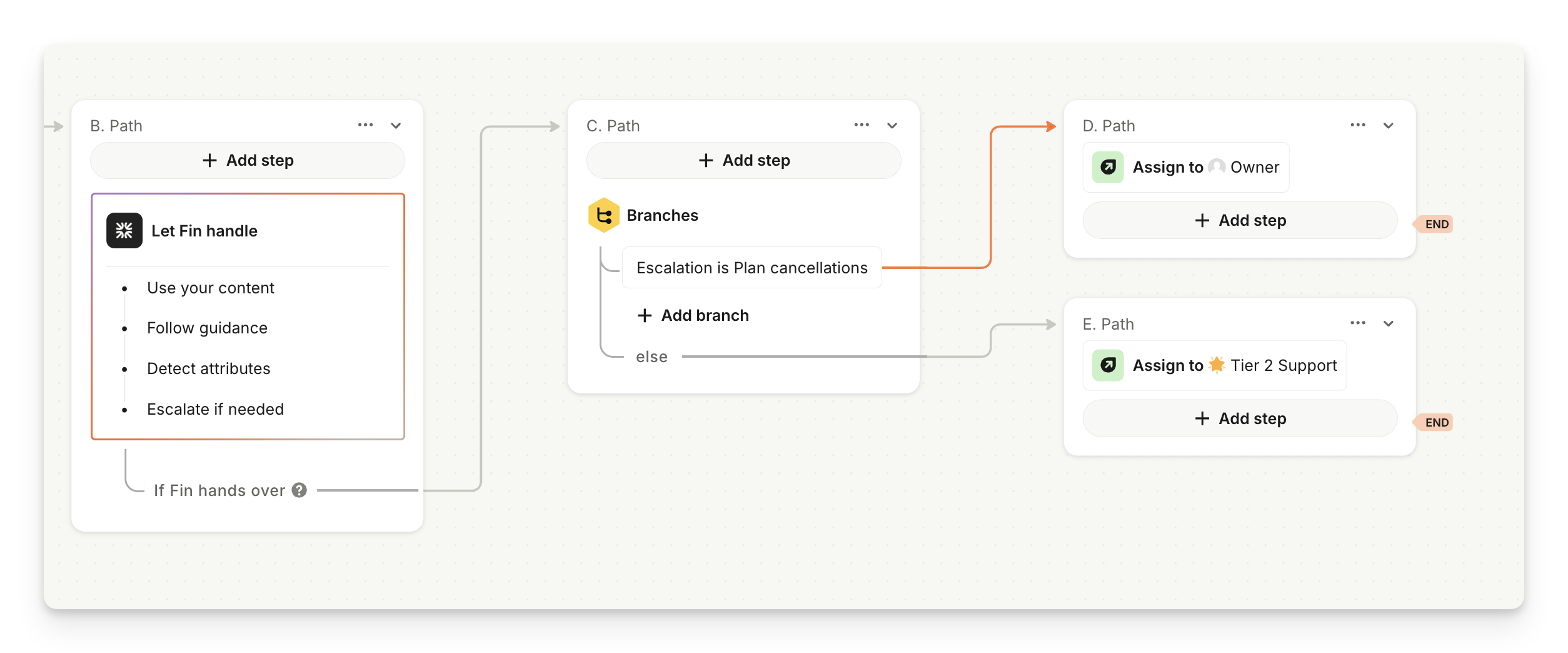
After the Sweo block, add an Escalation triggered step.Select the Escalation Rule you created.
Define what should happen next—for example:
If Escalation = Plan cancellation, assign to account Owner.
Otherwise, assign the conversation to Tier 2 Support.
Tip: When searching for Sweo Attributes within branch conditions, use the attribute name directly (for example, “Issue”) don’t search for “Detect” or “AI.”
Use Sweo Attributes in reports
Automatically filter and segment your custom report using your Sweo Attributes to generate insights and analysis about conversation trends.
Use Sweo Attributes in conversations for manual QA and review
You can see if a Sweo Attribute has been detected in Analyze > Conversations when viewing conversation events in the thread or in the sidebar under "Conversation attributes".
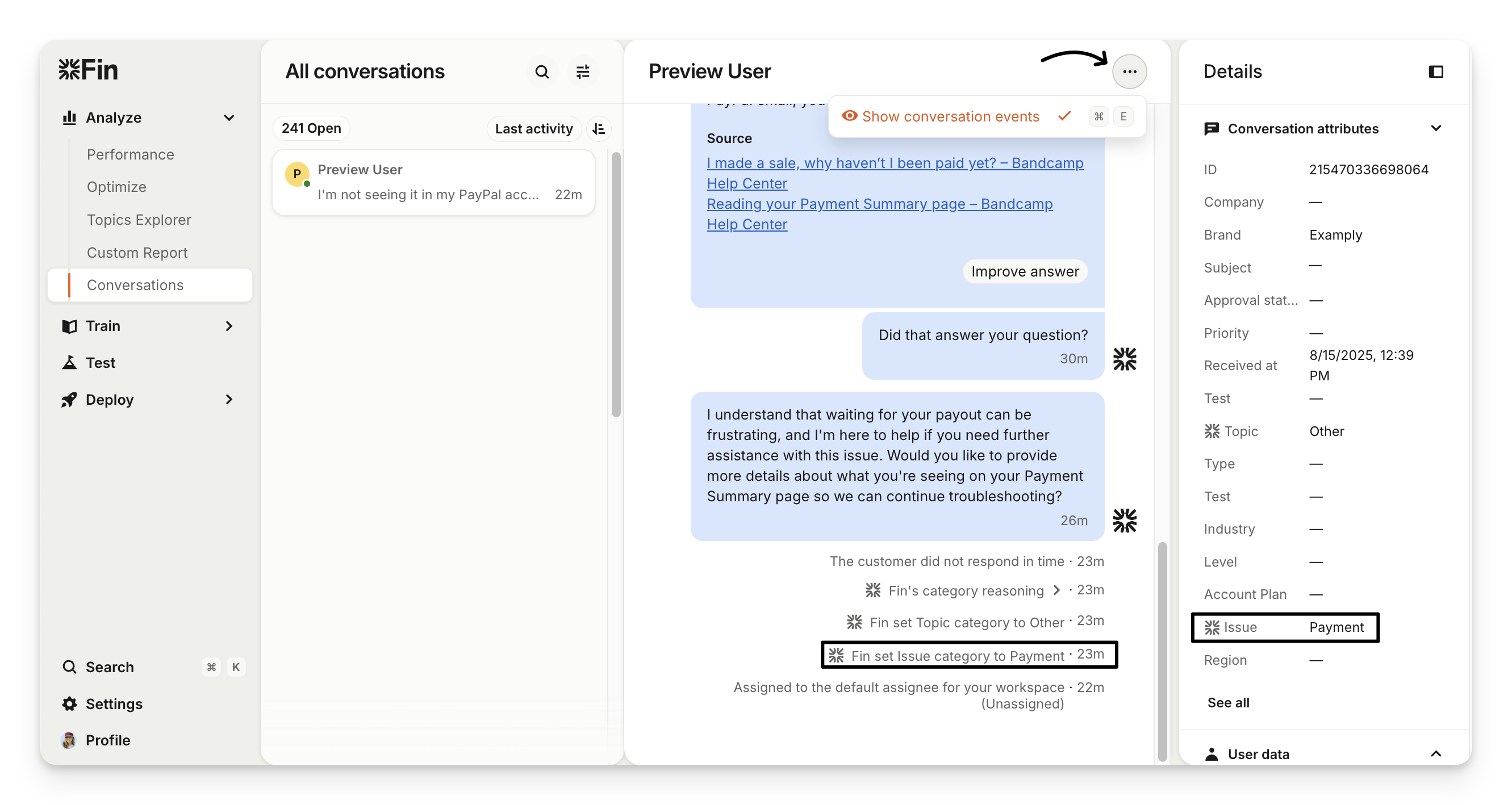
Note: Ensure that you have ‘Show conversation events’ enabled to see the conversation events and reasoning logs.