How to add teammates
To invite new teammates to join your workspace, go to Settings > Teammates and click New teammate.

To invite one or a few teammates, just enter the email address of each teammate separated by commas.
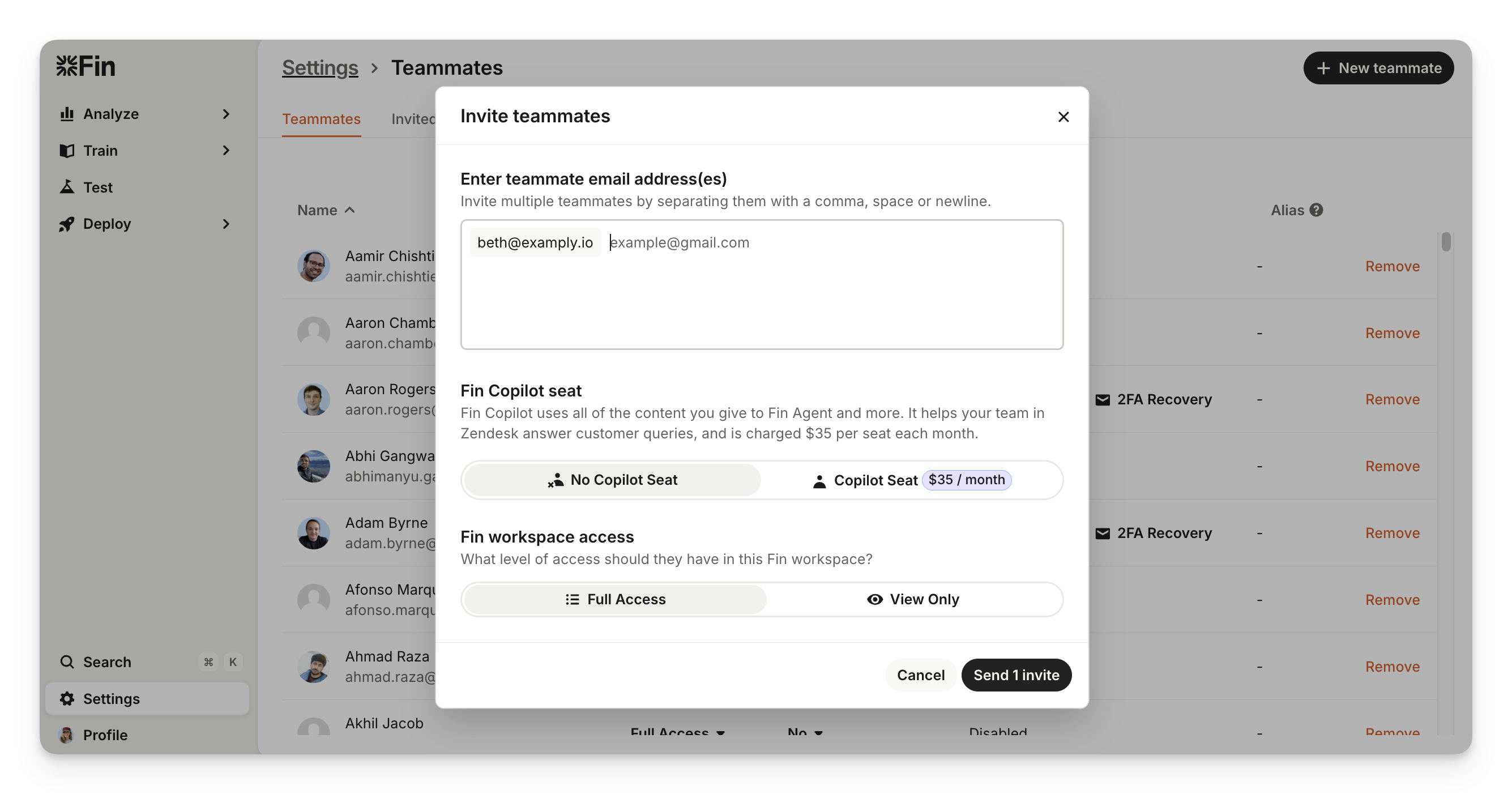
Note: When inviting new teammates, make sure the email address you've entered is correct and exactly matches their email without typos.
Sweo Copilot seat
Select whether the teammate requires a Copilot Seat.
Copilot helps your team in Zendesk answer customer queries, and is charged $35 per seat each month as an optional add-on. Copilot uses all of the content you give to Sweo and more.

Sweo workspace access
Choose what level of access they have in your Sweo workspace:
Full access - Can edit and manage all areas of the workspace, including synced data, API integrations, workflows, settings, and more.
View only - Can view all data in the workspace but can't make any changes.

Note: Inviting teammates with a Copilot seat also enables you to select "No access" to the Sweo workspace if they don't require it.
Then simply click Send invite and they’ll receive an email invitation to join your workspace.
Get invite links / resend invitations
You can also share invite links to teammates you've added by copying the invite link from Settings > Teammates > Invited and sending it directly to them via side channels like Slack, WhatsApp, etc.
Or resend an email invitation by going to Settings > Teammates > Invited and clicking Resend.

How to remove teammates
To remove a teammate, go to Settings > Teammates and click Remove teammate next to the teammate you'd like to remove.

Then you'll just need to select a new teammate to become "article author" for any articles they've created in your workspace.
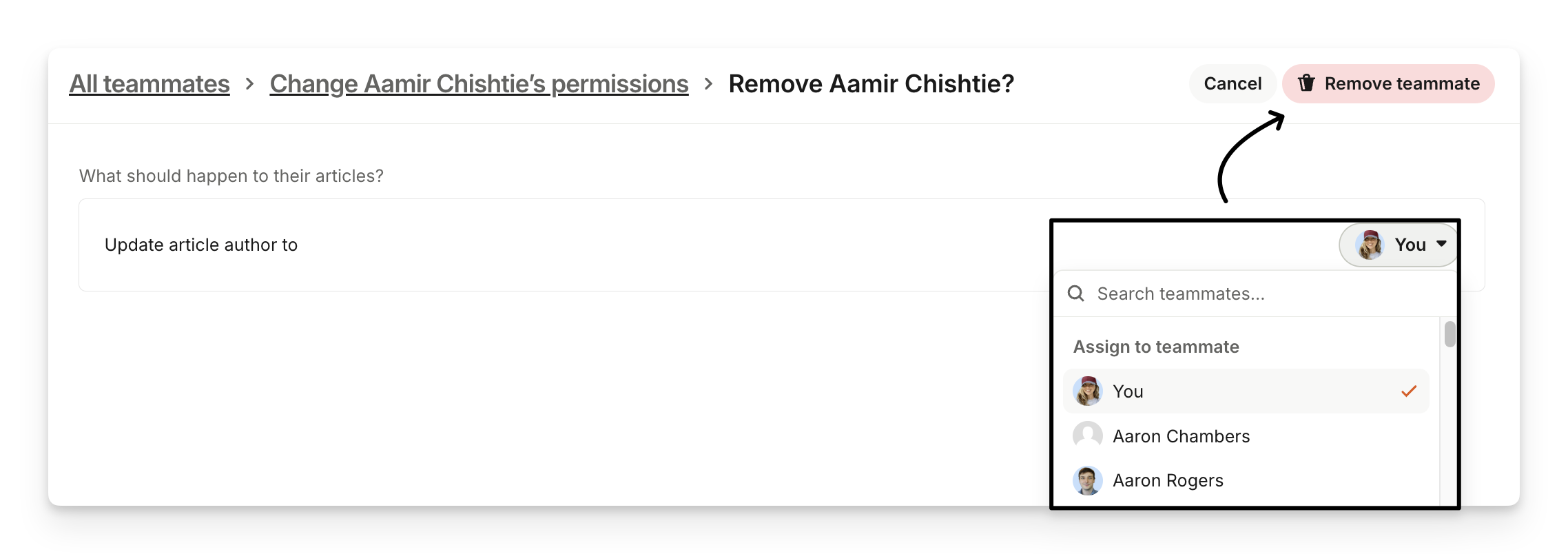
Finally, click Remove teammate which will immediately remove their access to your workspace.
Note: It's not possible to restore a removed teammate, however, you can invite them back to your workspace using the same email address.